2025 will undoubtedly be remembered as the year AI in business grew up—shifting from a curious experiment to a force that’s fundamentally reshaping the way we work. It’s also been a huge year for our product team. At the heart of our software development was the unveiling of the industry’s first AI Agents—a pivotal step in elevating internal communications from ‘just a job’ to a critical business advantage, helping you move faster, decide smarter, and deliver more targeted, impactful messages.
Our product releases this year have focused not only on AI, but on making it easier for communicators to plan, create, send, automate, and measure their messages—saving time on manual tasks, unlocking deeper insights to refine campaigns, and ultimately driving greater impact for employees and the business.
In this roundup, we’ll walk through 25 key innovations delivered in 2025—and show how they come together to support every stage of the communications journey.
Analyze
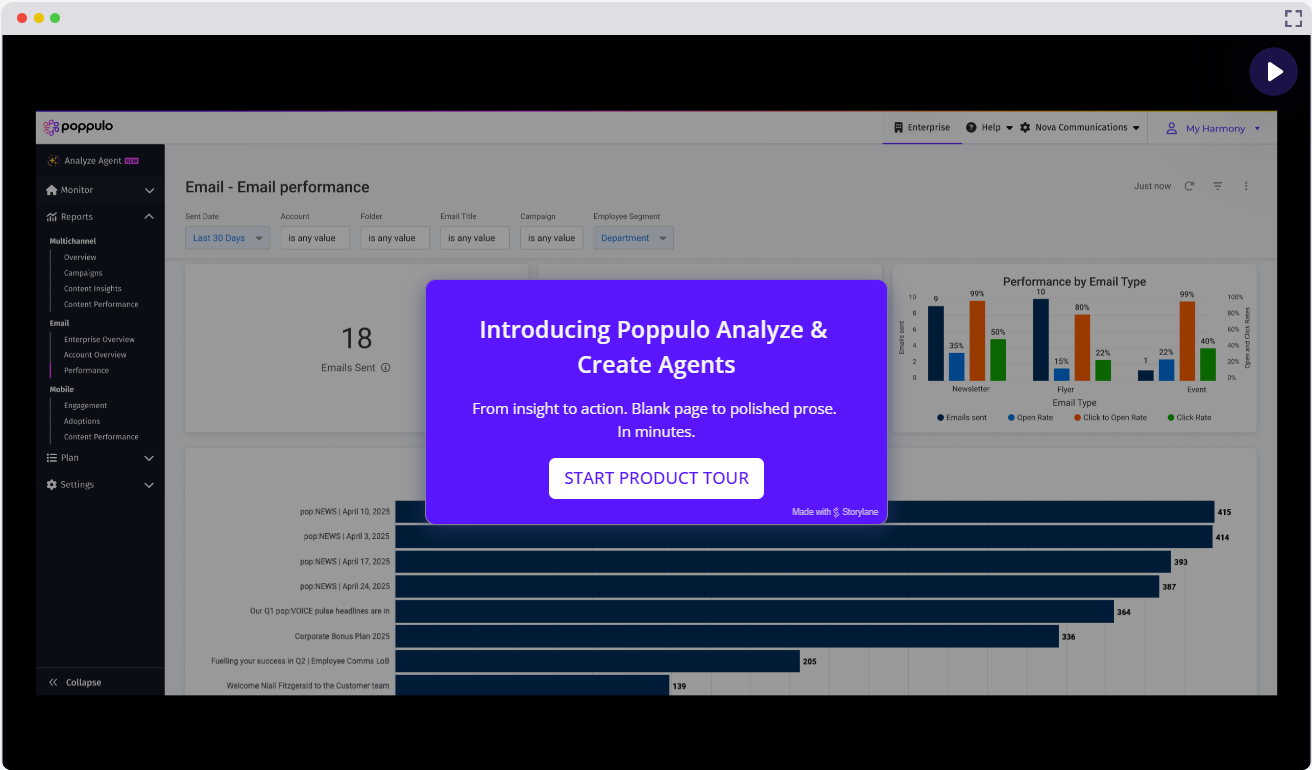
1. Analyze Agent—enables internal comms professionals to ask natural-language questions about their email data and quickly surface insights on engagement, performance, and audience behavior. They can also benchmark performance over time and across audiences or employee segments, identify which groups need re-engagement, and pinpoint optimal send times based on real behavioral patterns. The Analyze Agent also interprets signals such as likes and comments to gauge employee sentiment, and reviews message content itself—highlighting themes, keywords, length, media usage, and reading complexity—then links those factors back to engagement outcomes. The result is faster, deeper insight that helps organizations make more confident, data-driven communication decisions.

2. Reporting API—For customers who want to use large volumes of internal comms data to feed tools like Power BI or Tableau, the reporting API (available in Poppulo’s Developer Portal) makes it easy to securely extract raw data at scale for custom analysis.
3. Advanced Analytics Access Control—enhances security by ensuring that specified roles can view advanced analytics at both the enterprise and sub-account levels, but only for the sub-accounts that they have explicit permission to access.
Automate
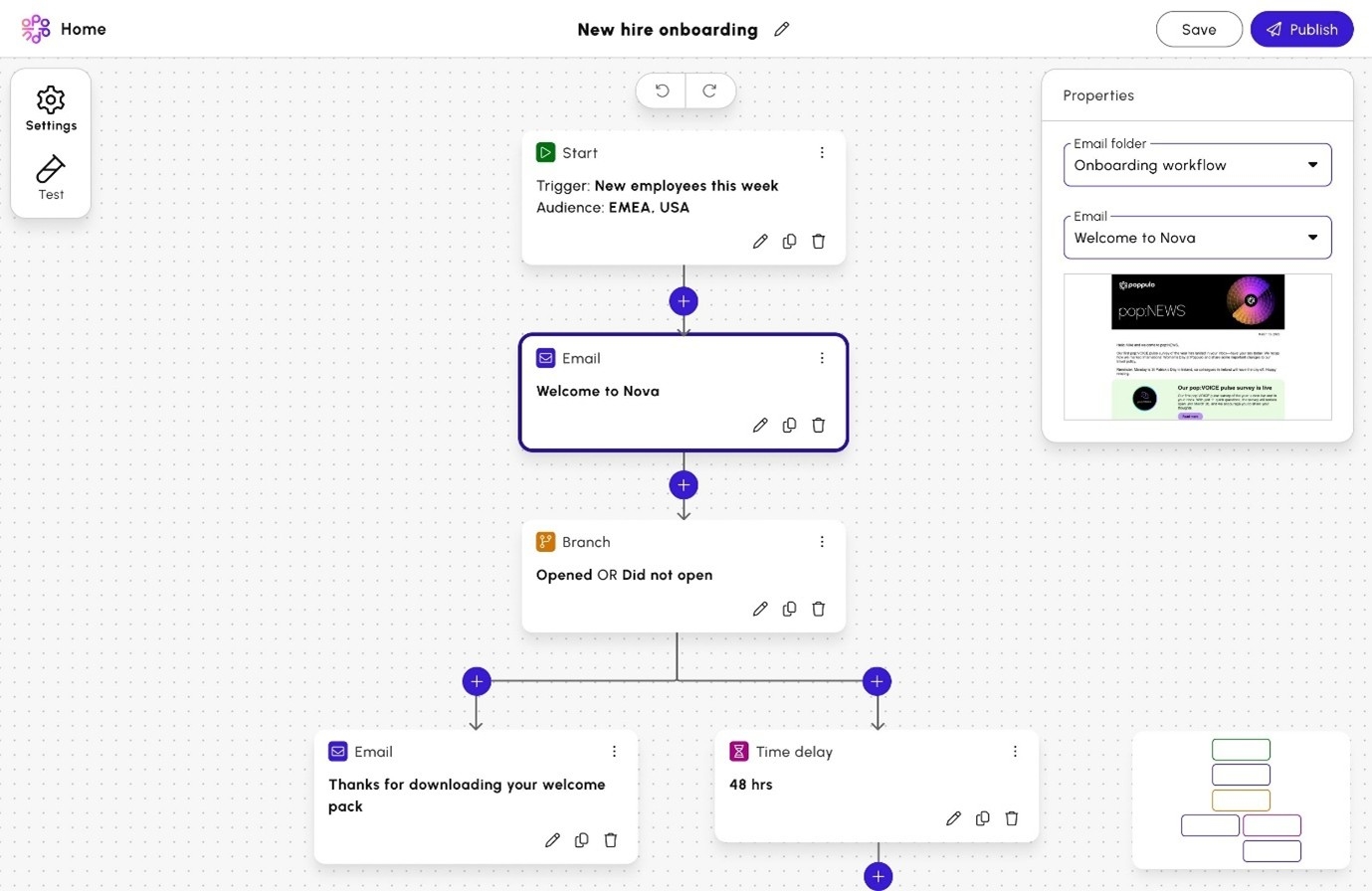
4. Workflow Automation in Email—Automate email campaigns for multi-touch employee journeys and streamline repeat campaigns by scheduling specific delivery sequences. Trigger follow-ups based on time or engagement, so employees receive messages at their own pace—perfect for onboarding, training reminders, and multi-touch campaigns. With engagement and activity triggers, you can send the right message at the right time: for internal communicators, that means orchestrating multi-touch, multichannel campaigns with less manual work; for operational teams like HR and IT, it creates a seamless employee experience during key moments such as onboarding and offboarding, security and compliance training, engagement surveys, and technology rollouts.
5. Feature post duration—Set an end date for how long a post stays featured. Once that date passes, the post automatically moves out of Featured and into Latest posts, with no manual cleanup needed.
6. Date format—The date format on events can now be adjusted to suit the country set on the sub account using either DD:MM:YYYY or MM:DD:YYYYY.
7. Auto-Suggesting Custom Field Names—When communicators start typing a field name, they’ll now see a list of popular suggestions (for example, typing “hire” suggests “HIRE DATE”). They can still enter a completely new name if they prefer.
8. Feeds - Content Assist (Generative AI)—Communicators can auto-generate engaging post titles, push notification titles and descriptions in feeds.
Create
9. Create Agent—Designed to support communicators in speeding up time to first draft, the Create Agent generates, tailors and optimizes messages with insights from previous Poppulo communications. It ensures efficient, ‘on-message’, consistent content creation, as well as reviews new content using their historic comms data to check for inconsistencies and repetition, enabling them to refine and enhance their content. The Agent is currently in beta and will be on general availability from January 2026.
10. Email Auto-Translate—A hugely popular feature, Email Auto-Translate lets customers translate emails to effectively communicate with employees across 42 languages from one seamless publishing workflow, drastically reducing time and resource costs for global organizations, while helping them better engage employees in their native languages.
11. Emojis—For communicators who want to boost engagement or set a more informal tone, emojis are now available in messages where it fits the audience and context.
12. Preview Text in Email—Communicators can now control the preview text that appears in employees’ inboxes, helping them craft clearer, more compelling “first impressions” for each email.
13. Ability to Reorder Images in Feeds—Administrators can easily reorder images and preview how they’ll appear in a post before publishing.
14. Developer Portal—A secure, authenticated platform designed for internal staff, external developers and technical users from our customer organizations, the developer portal serves as a centralized hub for accessing comprehensive resources related to Poppulo’s external APIs.
15. Feeds Approvals—Customers can now send posts through an approval workflow before publishing in Feeds, supporting better governance, quality control, and collaboration across comms teams.
Send
16. Upload to Tag using Employee ID—Communicators can now upload people to tag using employee IDs instead of email addresses, making it easier to accurately target comms using the employee data they have access to.
17. Sending to Multiple Saved Searches—Communicators can choose multiple saved searches and send to these at the same time.
18. Email Folder Improvements—These enhancements allow account administrators easier bulk manual configuration of folder access, as well as allowing them more control of the folder permissions. This ensures sensitive content is private unless folder permissions are granted.
19. Schedule Send by Time Zone—Time zone is now available as a people data field, allowing communicators to schedule sends in each recipient’s local time. This helps ensure messages land at the optimal moment for every employee, no matter where they are.
20. Sign Up Forms in EPM (Enterprise Performance Management)—EPM users can use sign up forms from individuals to capture employee content preferences against tags only. This allows their audiences to receive their preferred content and not modify their email address.
21. Feeds - New Mobile App—Both Workplace and Feeds have merged into a single, unified mobile app.
22. Gender People Field—Customers can now import or sync gender values from their HRIS (Human Resources Information System), such as male, female, or unspecified, and apply them in saved searches and targeting.
23. Distribution List View in Sub-Accounts—The enterprise level view of the Distribution Lists is now visible at the sub-account level.
24. Email Spoofing—To ensure email deliverability, customers can now configure approved sending domains. This includes whitelisting Poppulo’s sending IP ranges, trusting our sending domains, and setting up SPF records so Poppulo is authorized to send on behalf of their domain.
25. Enterprise Tags—Enterprise Admins can create and use tags at the enterprise level and use these in their saved searches and sub-account lists.
Looking to 2026
The future of employee comms will be defined by experiences that are more personable, more measurable, and more automated for comms professional—turning every message into an opportunity to inform, align, and inspire at scale.
Poppulo is focused on helping teams build that future. By bringing together agentic AI, smarter orchestration, advanced analytics, and next-generation creative tools, we are giving communicators the power to plan, create, automate, and optimize campaigns with far less manual effort—and turn every communication into a real driver of business outcomes.