When guests attend a conference, meeting, or event, it will be expected that crucial information will be easy to find. Hotel and conference room digital signage makes that possible by delivering real-time updates, clear wayfinding directions, room assignment directories, and event notifications that can be managed from a central location. Through cloud-enabled software platforms, these content updates can be reflected across multiple locations at a moment's notice.
This results in a better experience for both guests and staff. Attendees can quickly find relevant information, while event teams can focus on more important tasks rather than updating printed materials or answering routine questions. Meanwhile, IT and marketing can work in the background to manage devices, ensure consistent branding, and streamline content execution across the entire organization.
What Digital Signage for Hotel Conference Rooms and Events Includes
Hotel digital signage platforms combine displays, a content management system, and a trusted data source to create and publish content from a central location. Door displays can identify the room and session times, while lobby and hallway screens showcase schedules and routes. Media players or supported system-on-chip displays receive content, while the content management system targets each message by location and time.
| Component | Role in hotel events | Typical source or owner |
|---|---|---|
| Room display | Shows the current and next event at one space | Event management or booking system |
| Directory screen | Lists events, rooms, floors and start times | Event schedule plus approved content |
| Wayfinding screen | Directs attendees at decision points | Floor plans and event assignments |
| Content management system | Publishes, schedules, targets and monitors content | Events, marketing and IT teams |
| Integration | Moves approved schedule data into screen templates | Event, catering, PMS or calendar systems |
This differs from a standard television playing a fixed slide deck. A managed signage system can assign content to a specific room, schedule it against an event, and report whether the player is online. It also differs from a generic office room-booking panel because hotel signage must support banquet schedules, sponsor branding, public wayfinding and frequent room changes across shared event space.
Why Hotels are Moving Beyond Printed Signs and Easel Cards
Printed conference room signs and lobby easels cannot keep pace with same-day room swaps, speaker changes, or weather-related schedule shifts. Guests may arrive at the wrong door while staff reprint, carry, and replace signs at every affected location. In the modern digital landscape, hotels must adapt faster than ever to meet visitors’ expectations.
The cost is broader than paper and ink. Banquet employees lose time walking the property, front-desk and concierge teams answer avoidable direction questions, and an old sign can undermine a carefully planned event.
Digital signage creates one update path. When the schedule changes in an approved source system or an authorized user publishes an override, the revised information can reach the assigned screens without a property-wide paper run. Printed signs can remain part of the backup plan, but they no longer need to carry out every routine update.
Meeting Room Door and Schedule Displays
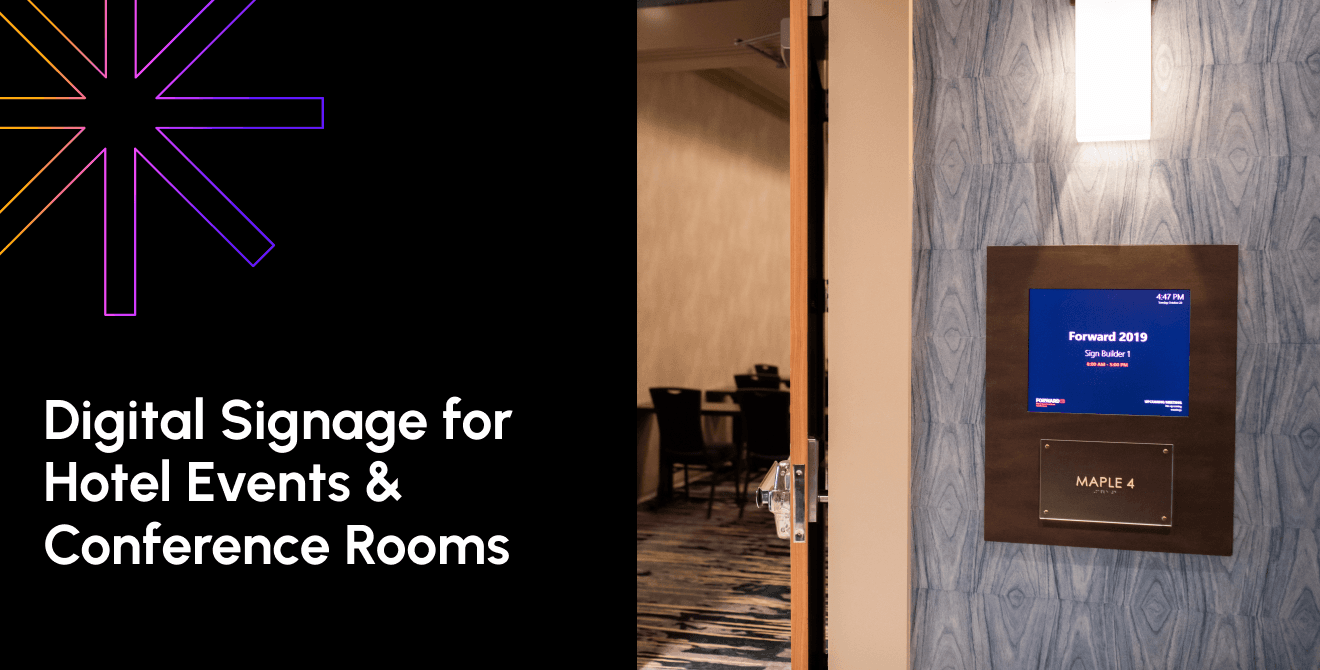
A meeting room door display shows the current and upcoming event for that space, including the event name, host organization and time block. When it is connected to the hotel’s event management or booking system, banquet staff do not have to retype or reprint each schedule card.
Use a consistent content hierarchy. The room name and current session should be readable first, followed by the time and host. Add the next session only when it’s relevant to attendees and does not crowd the screen. Capacity or room setup can support staff operations, but those details may belong on a staff-facing view rather than the public display.
Hence, digital signage brings clarity and consistency to hotel events. Since guests can quickly find schedules, meeting locations, and updates, they are able to focus more on enjoying the event, leaving a more positive lasting impact. At the same time, hotels benefit from a more polished experience, reduced reliance on printed materials, and expanded flexibility. This improved communication benefits guests while reducing operational friction.
Wayfinding to Events and Conference Spaces
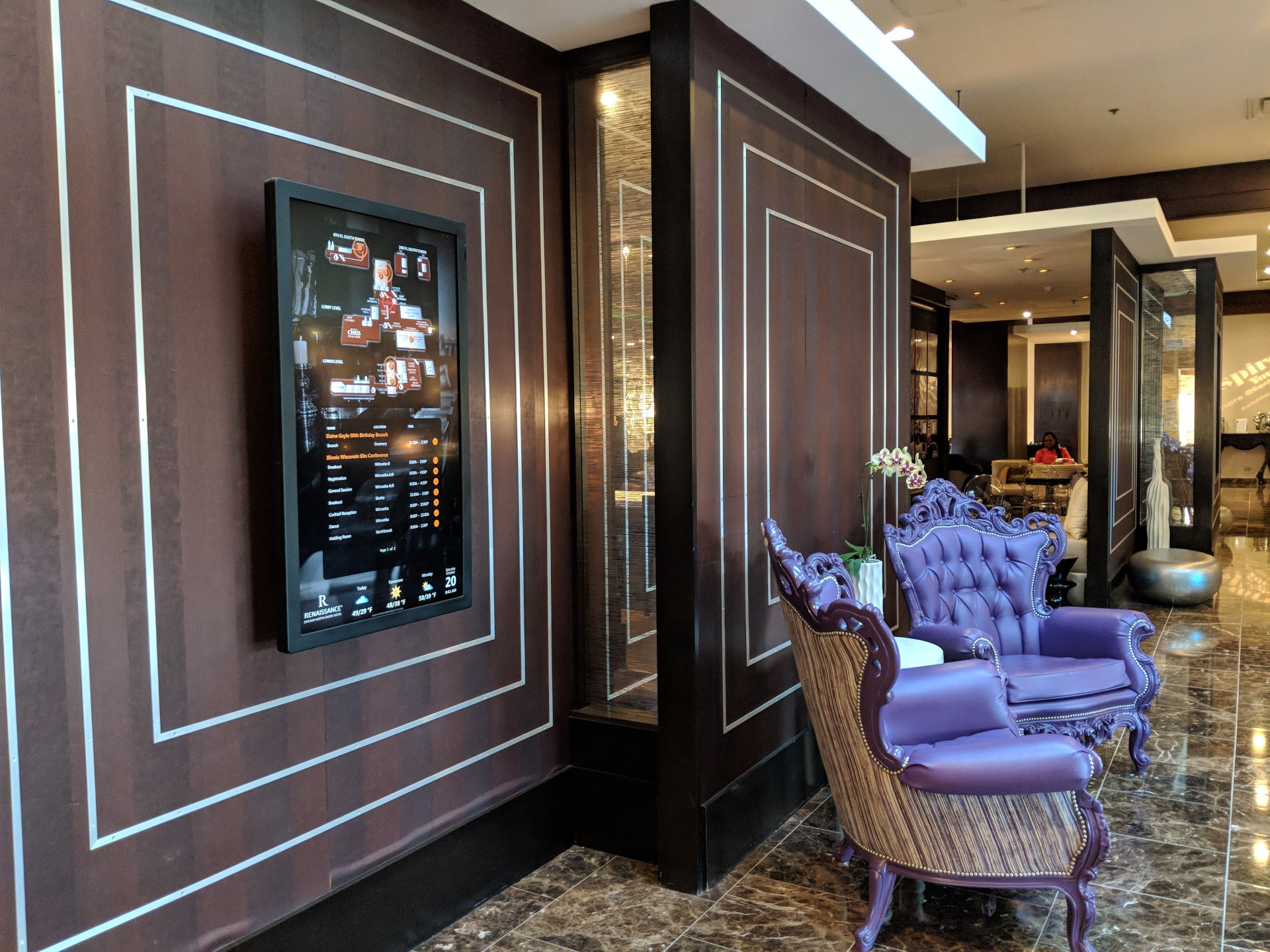
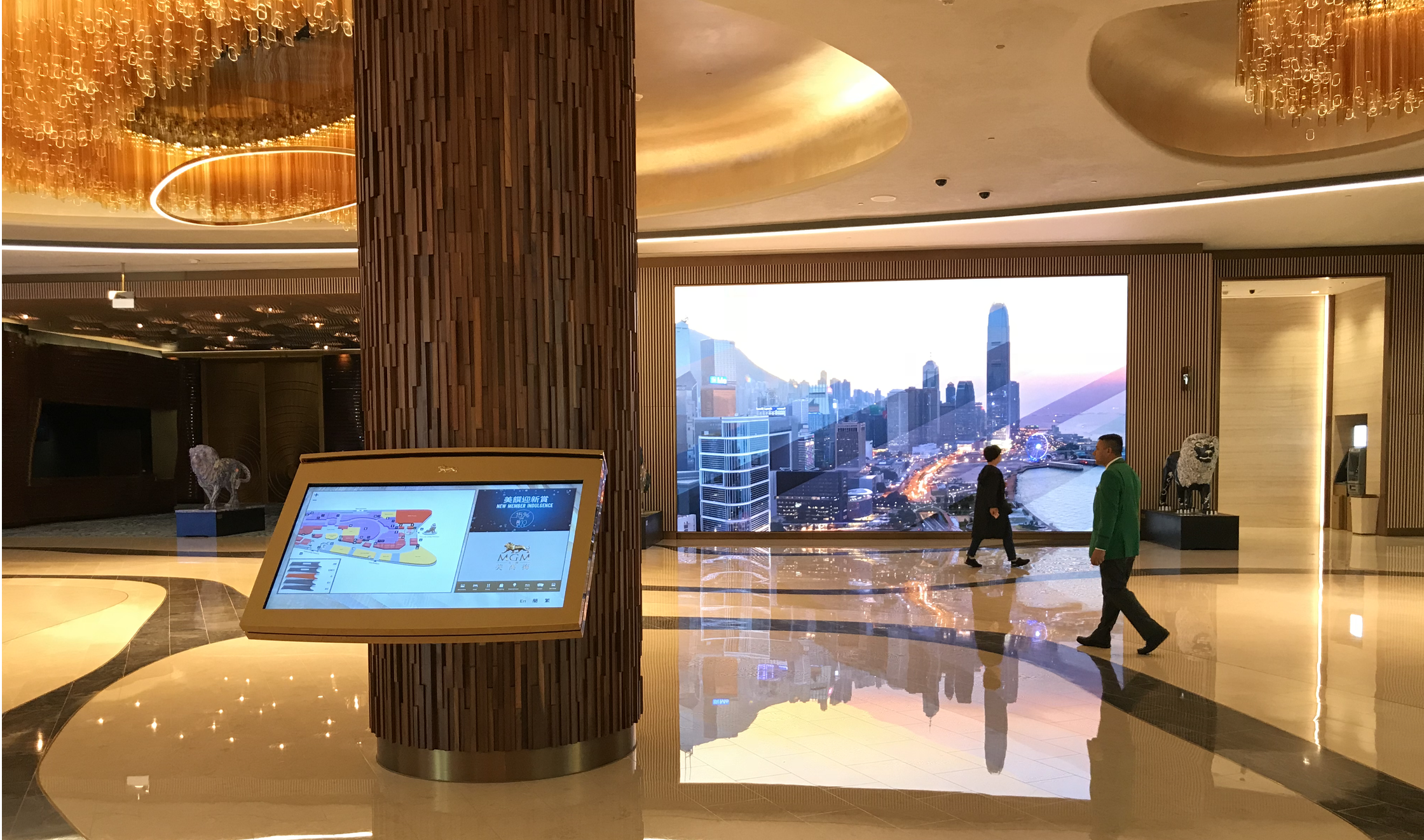
Lobby and hallway wayfinding screens show attendees which room or ballroom hosts their session, with directions, floor maps and session times displayed at the places where a guest must choose a route. This becomes especially useful when several conferences or breakout sessions run at the same time.
Place directory screens at entrances, registration areas, elevator banks, and major intersections. Repeat the event and room names consistently from the lobby to the door. On a multi-floor property, show the floor before detailed turns. Keep maps oriented to the viewer’s position and use simple arrows that remain readable from the expected viewing distance.
Accessibility belongs to the original design. Use strong contrast, large type, and plain language. Do not rely on color alone to distinguish between events. A clear content hierarchy helps users determine the most important information. Mount interactive screens within accessible reach ranges and provide a non-touch alternative. When a route includes elevators, stairs or temporary closures, confirm that the directions remain accurate for guests with mobility needs.
Real-Time Updates and Last-Minute Event Changes
When an event changes rooms, times or status, centrally managed digital signage lets one update reach the affected door displays, hallway screens and lobby directories. That removes the delay and transcription risk of editing separate files and rehanging paper throughout the property.
The same network can support approved operational or safety messages during an event. Emergency communication requires separate governance, priority rules, and testing. A signage alert should reinforce the hotel’s emergency plan and other notification channels rather than become the only way guests receive critical instructions.
Guest and Branding Opportunities at Hotel Events
Event signage can support branding and revenue as well as logistics. Hotels can include digital screen placements in sponsorship or event branding packages, using approved templates to carry the organizer’s identity from a welcome screen to meeting-room signs and selected common areas.
Define the inventory before selling it: screen locations, share of time, display hours, creative specifications, approval deadlines, and excluded content. This gives sales teams a product they can describe and gives operations a plan they can deliver. It also prevents paid branding from obscuring schedules, directions, or safety messages.
Hotel marketing teams can use uncommitted space to promote restaurants, spas, and other amenities that are relevant to attendees. Target the message to the location and event schedule, and measure response with a dedicated booking link, offer code or campaign identifier when practical.
The Hilton San Francisco Union Square Result
At Hilton San Francisco Union Square, digital signage became more than a way to display schedules and directions. The hotel used screens throughout the property to highlight event branding, create more personalized experiences for visitors, and offer additional promotional opportunities to organizers. The effort paid off, with the hotel reporting a 60% ROI and a 40% lift in branding package sales.
Results like these won't look the same at every property, but they show what's possible when digital signage is treated as part of the event experience rather than just a communication tool. For many hotels, the value extends beyond helping guests find their way. It can also open the door to new revenue opportunities while creating a more polished experience for attendees and event planners alike.
Integrating Signage with Hotel Systems
Hotel digital signage is only as accurate as the data behind it. It should pull approved information from event management, catering, and booking systems instead of requiring staff to enter the same event in several places. A change made by the banquet team can then populate the correct template and appear on the relevant screens within the agreed update window.
Property management system data may support selected hospitality use cases, but event signs often depend more directly on event or catering systems. Calendar and booking integrations can also work when they provide the required data. Staff-facing signs may use workforce information for shifts or safety messages, but guest-facing event screens should receive only the fields approved for public display.
Centralized Control for Hotel Groups
Hotel groups with multiple properties make digital signage more than just publishing content. Going the extra mile to ensure guests see accurate information without falling into traditional publication pitfalls ensures a smooth information transfer for all parties. Schedule changes at one location do not require a call to headquarters, but each location should still uphold the brand’s standards.
Poppulo provides the flexibility for corporate and local teams to access different levels of control, allowing each property to tailor its own event management within a shared framework. This gives marketers an easy pathway to keep information current without investing time into create different designs, styles, or processes for each event.
As deployment expands, managing displays is just as important as managing the content on them. Seeing which displays are online, what is currently being displayed, future schedules, and other screen information can help the team troubleshoot issues as they pop up or get ahead of potential issues, maintaining an excellent guest experience.
What to Look For in a Hotel Event Signage Platform
Evaluate seven areas before selecting a platform: integration, update speed, multi-property control, branding flexibility, reliability, reporting, and scalability. Test the workflow with real event scenarios rather than relying only on a feature list.
| Area | What to verify | Question to ask |
|---|---|---|
| Integration | Supported event, PMS and booking connections; field mapping | Which system remains the source of truth? |
| Update speed | Measured time from source change to screen playback | How quickly does a room change reach every assigned display? |
| Portfolio control | Groups, permissions, approvals and local delegation | Can corporate protect standards while properties edit approved fields? |
| Branding | Locked templates, sponsor zones and reusable layouts | Which elements can local users change? |
| Reliability | Offline playback, monitoring, alerts and recovery | What appears if the network or data feed fails? |
| Reporting | Device status, proof of play and campaign reporting | Can teams verify what played, where and when? |
| Scalability | Provisioning, security, support and performance at target size | What changes when the rollout expands to more properties? |
How Poppulo Supports Hotel Events and Conferences
Poppulo provides an enterprise digital signage platform for centralized content and device management, scheduling, live data, role-based governance, monitoring, and reporting. Hotel teams can use it for meeting-room signs, event boards, wayfinding, lobby content, and back-of-house communication from a common system.
For a hotel groups, this service can help manage scale when it comes to scoping and managing a project. Brand templates can apply to an entire network while local teams can manage their own events, schedules, and regional content.
See Poppulo digital signage for hospitality | Explore the enterprise digital signage platform
Frequently Asked Questions
What is a conference room digital signage display?
A conference room digital signage display is a networked screen outside or near a meeting space that shows the current event, host, time and upcoming schedule. In a hotel, it can receive information from event or booking software and use templates designed for public conference and banquet areas.
What should a hotel display outside a conference room during an event?
Show the room name, current event, public host or organizer name, start and end time, and any approved directional note. Add the next event only if it will not confuse attendees. Hide confidential titles, attendee names and internal details unless the organizer has approved them for public display.
How does digital signage handle last minute event changes?
An authorized change in the source system or signage platform can update the affected door displays, directories and wayfinding screens from one place. Hotels should define an urgent override process, confirm how quickly data refreshes and set expiration times, so a temporary room change does not remain visible after the event.
Can digital signage provide wayfinding for hotel conference and event spaces?
Yes. Lobby directories and hallway screens can pair event names with rooms, floors, arrows and maps. Place them where guests make route decisions, repeat naming consistently, and account for accessible paths. The wayfinding plan should be tested during a realistic multi-event day, not only when the property is quiet.
Does digital signage replace printed event boards and easels entirely?
It can replace many routine schedules, door cards and directories, but hotels may keep printed signs for backup, temporary areas or locations without suitable power and connectivity. The right mix depends on the property. Digital screens should also complement staff support, mobile communication, and emergency notification procedures.
How does hotel digital signage integrate with event management or booking software?
An integration maps approved fields from the hotel’s event, catering, PMS, calendar or booking system into a signage template. Teams should confirm the source of truth, refresh frequency, security, error handling, and fallback content. Only information cleared for public display should move to guest-facing screens.
What ROI can hotels expect from digital signage?
Results depend on deployment costs, labor savings, adoption, and revenue programs. For example, a case study with the Hilton San Francisco Union Square reported a 60% return on investment and a 40% increase in branding package sales.
Plan a Connected Hotel Event Signage Experience
Start with the attendee journey from entrance to meeting-room door. Connect room schedules to a trusted source, place wayfinding at decision points, and give event teams a controlled way to publish urgent changes. Then measure update time, guest questions, system reliability, and revenue from branding packages against the property’s baseline.
Poppulo can help hotel groups plan and manage conference room displays, event wayfinding and real-time updates across one property or a portfolio.