Navigating a hotel should be a simple process. However, larger campuses or busy areas that host conventions, conferences, and other events can mean visitors have to go through multiple floors, elevators, and spaces to get where they want.
Digital signage can cut down on guest frustration and delays while simultaneously reducing workload for staff. With centrally managed, cloud-enabled platforms and flexible content scheduling, hotel organizations can accommodate last-minute room changes, shifting schedules, and temporary closures.
By combining digital directories, interactive kiosks, dynamic directional displays, and mobile navigation, hotels can serve a variety of needs while giving their operations teams greater control over the information displayed throughout a property.
We will explore nine hotel wayfinding signage ideas for lobbies and conference spaces to help get your digital signage content off the ground. Along the way, we’ll apply practical guidance for managing this content across individual properties and larger hotel portfolios.
What Is Hotel Wayfinding Signage?
Hotel wayfinding signage is a network of digital displays that help viewers navigate an area. It provides directions to guest rooms, meeting spaces, restaurants, amenities, elevators, and exits. It describes the broader navigation experience, including how information is organized, where directions appear, and how people move between destinations.
A comprehensive hotel wayfinding system typically includes four types of signage:
- Static directional signage: Permanent signs identifying room numbers, elevators, exits, accessible routes, and other fixed destinations.
- Digital wayfinding displays: Screens showing current event locations, meeting schedules, directional information, and temporary changes.
- Interactive wayfinding kiosks: Touchscreen directories that allow guests to search for destinations and explore property maps.
- Mobile and QR-based wayfinding: Digital maps and directions guests can access on their smartphones.
To provide the most effective wayfinding experience, the location of each screen is just as important as the number of displays. Proper placement help viewers effectively find crucial information to make informed decisions.
For example, a directory near the lobby entrance helps guests orient themselves, while a directional screen at a corridor intersection helps them choose the correct route.
Hotel Wayfinding Signage Ideas for Lobbies and Arrival Areas
The lobby is your chance to make a first impression. Here, your displays to help orient those who are visiting your facility for the first time while also reacquainting repeat guests. For larger properties, it's also where guests must quickly determine how to reach meeting spaces, restaurants, elevators, and other amenities.
Well-positioned digital signage can make those first decisions a faster, more pleasant experience.
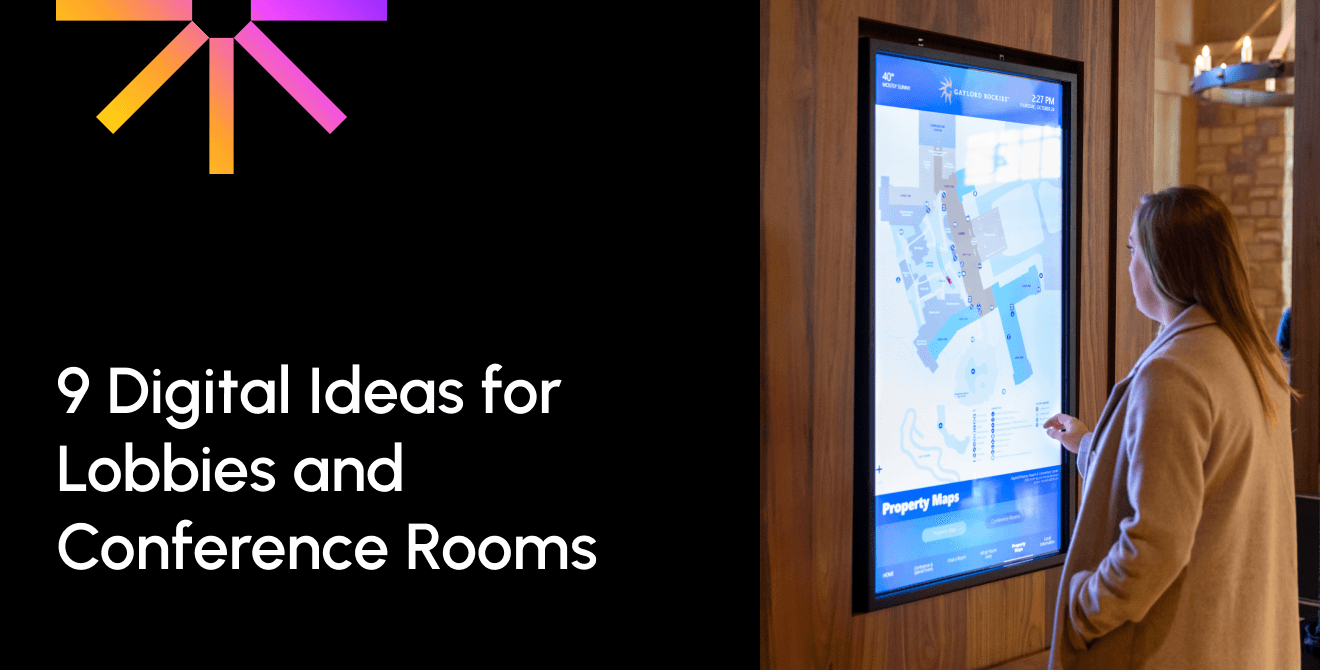
Idea 1: Display a Digital Property Map With Today's Events
A digital map of the property helps guest immediately understand where they are relative to where they need to be.
Positioning a large display near the main entrance or within a clear lobby sightline helps ensure this display will not be missed. Include a simplified property map, a prominent "You Are Here" indicator, arrows, elevator locations, and directions to major amenities.
For conference hotels, the display can also feature a list today's events, including meeting names, guest speakers, and assigned rooms.
Ideally, event information should come from an approved scheduling system, with hotel operations or conference services responsible for accuracy. These services can integrate seamlessly with Poppulo’s digital signage software, allowing for scheduled updates to go out automatically.
Planning tip: Avoid overcrowding the map. Clutter will only confuse your guests. Prioritize the destinations guests are most likely to need using bold fonts and contrasting colors.
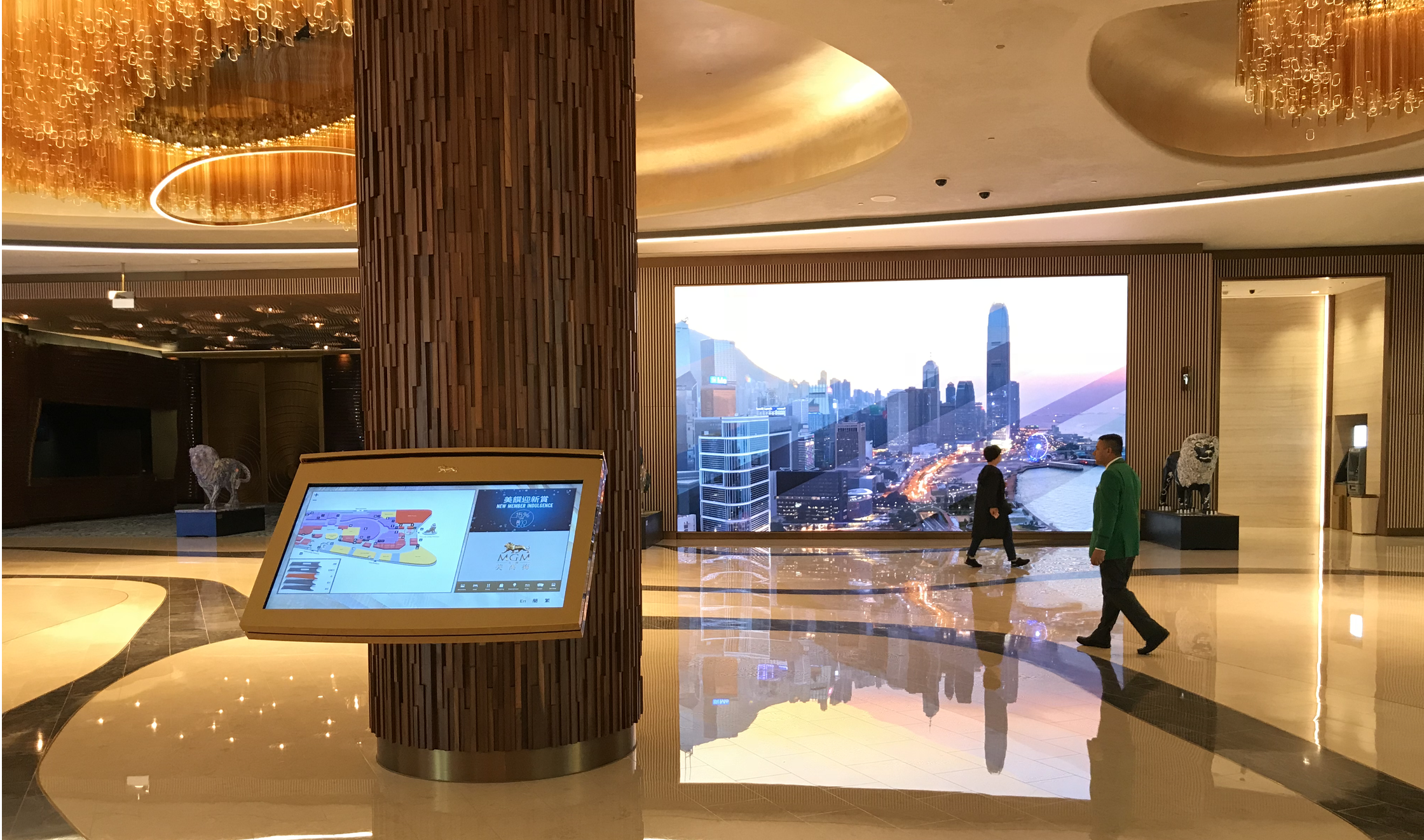
Idea 2: Install an Interactive Wayfinding Kiosk
An interactive wayfinding kiosk allows guests to find destinations without waiting for assistance from hotel staff. These kiosks are particularly useful in large convention hotels, resorts, and properties with multiple towers or extensive meeting facilities.
In addition to helping visitors find a destination on their own, it frees up time for staff to focus on more important tasks, rather than repeatedly answering navigation questions.
Position kiosks near major entrances, convention center access points, or other high-traffic locations. Essential functions include searching destinations by name, filtering through categories like restaurants or meeting rooms, and displaying clear instructions.
For the best experience, kiosks should offer accessible touch controls, accommodate users at different heights, and automatically return to the home screen after inactivity.
Planning tip: Not every property needs interactive kiosks. Smaller campuses or spaces with more straightforward pathways may benefit more from digital directories and maps.
Idea 3: Use Digital Elevator-Bank Directories
Elevator banks are excellent locations for displays that can drive decisions. Often, guests may find themselves waiting for extended periods, or they will need to access an elevator to get to a desired location. Digital directories positioned near elevators can show destinations organized by floor, helping guests confirm they're heading in the right direction before entering.
Use large, high-contrast text, recognizable icons, and multilingual labels where appropriate.
For properties hosting conferences, the directory can also identify which floors contain current events or meeting sessions. Again, branded logos and icons for these events can help users quickly identify where they need to go.
Planning tip: Keep floor names and destination labels consistent across lobby directories, elevator displays, and corridor signage. Inconsistent naming can create confusion even when individual signs are accurate.
Hotel Wayfinding Signage Ideas for Conferences and Pre-Function Areas
Conference rooms and pre-function areas host unique challenges for hotels to overcome when communicating.
A single hotel may host multiple conferences, receptions, and private events simultaneously. This results in multiple different audiences navigating a space for different needs. However, they’re all under the same umbrella, and need to find information tailored to their specific registration areas, general sessions, breakout rooms, and networking spaces, often within tight schedules.
Digital wayfinding makes it easier to manage these changing requirements.
Idea 4: Create a Schedule-Driven Event Directory
A digital event directory helps attendees find the correct meeting room or pre-function area without relying on printed schedules. With digital signage, you can schedule each event’s corresponding content in advance, allowing directories and other event-related content to update automatically. If you host this information on a third-party scheduling service or app, integrating it with your signage platform makes content management even easier.
Conference services teams can then manage the underlying schedule while digital displays reflect approved changes. Displays can show event names, session times, assigned rooms, and directional arrows, with information organized to help guests quickly identify their destinations.
Install directories near entrances, escalator landings, and main pre-function foyers.
Planning tip: Standardize rules for displaying private events, confidential meeting names, and client information. Not every booking should automatically appear on public-facing screens, and teams should be trained on what’s appropriate for display.
Idea 5: Add Dynamic Directional Screens at Key Junctions
Temporary room changes are common during conferences. Sessions may move to larger spaces, corridors may close for maintenance, or certain speakers may cancel.
When this happens, traditional printed signage struggles to accommodate these changes without additional printing and manual installation. It cannot keep up with the immediate needs of the changing situation.
Dynamic directional screens offer a more flexible alternative.
As changes occur, your marketing and communications team can quickly push out updates to your screens from a central location. The screens will then update in real-time, allowing your guests to seamlessly continue on with the event using accurate information.
Planning tip: Make directional information immediately understandable. Use consistent arrows, room names, and visual layouts.
Idea 6: Personalize Event Wayfinding With Client Branding
For convention and conference hotels, wayfinding signage can also contribute to the event experience.
Digital displays in pre-function areas can incorporate an event organizer's logo, brand colors, agenda, and directional information.
For example, a hotel hosting a corporate conference could display the client's branding alongside directions to registration, keynote presentations, and breakout sessions. Additionally, donation walls can highlight fundraising goals and thank donors for their participation.
This creates a cohesive experience that highlights the contributions of the organizers while helping attendees distinguish their event from others. As a hosting location, it can establish the hotel’s credibility as an excellent meeting area.
Marketing and conference services teams should establish approved templates and a process for reviewing client-provided assets.
Planning tip: Navigation must remain the priority. Event branding and promotional content should only be placed where appropriate, never obscuring room names, directional arrows, or other essential information.
Hotel Wayfinding Signage Ideas for Meeting Corridors and Breakout Rooms
Navigation doesn’t end once guests reach the correct floor. Guests still need to find their way to the correct meeting rooms, tables, seats, and so on.
This final stage of the journey is particularly important in hotels with long corridors, similar room names, or multiple breakout sessions running simultaneously.
Idea 7: Install Digital Meeting Room Signs
Digital meeting room signage helps guests confirm they've arrived at the correct location.
Small displays positioned outside meeting rooms can show the room name, current session, scheduled end time, and upcoming booking. When connected to a compatible room-booking or event management system, these signs can update automatically as schedules change.
This reduces the need for staff to replace printed room signs between sessions and can help prevent attendees from entering the wrong meeting.
Conference services should own the accuracy of session information, while IT supports device connectivity and system integration.
Planning tip: Keep room names prominent and ensure the displays don't conflict with permanent room identification or required tactile signage.
Idea 8: Show Room Sequences and Walking Times at Corridor Junctions
Digital junction displays can make these spaces easier to understand by showing room-number ranges, directional arrows, and estimated walking times. For conferences where visitors are free to walk between rooms and speakers, this can help guests plan out their day as well.
For example, a screen could indicate that meeting rooms 201–210 are to the left, while rooms 211–220 are to the right. But if you want to move from between 201 all the way to 220, it will take about 5 minutes.
Where helpful, displays can also show recognizable pictograms for elevators, restrooms, and accessible routes.
Planning tip: Never rely on color alone to communicate directions. Color, icons, and numbers all help communicate where exactly guests need to go.
Idea 9: Connect Digital Signs to Mobile Wayfinding With QR Codes
Digital signage can guide guests through shared spaces, but mobile wayfinding allows them to continue navigating independently.
QR codes displayed on corridor screens, event directories, or meeting room signs can link to a mobile-friendly property map, event agenda, or destination-specific directions. When used appropriately, these QR codes can also direct users to take a desired action.
For example, a conference attendee could scan a code outside a breakout room to view the next session's location and directions. From there, they can also register themselves as an attendee for said event, or view open spaces for upcoming sessions.
This approach can be particularly useful in resorts or convention hotels with multiple buildings and towers.
Marketing, event operations, and IT teams should coordinate to ensure links remain accurate, mobile pages load quickly, and destinations are clearly identified.
Planning tip: Test QR codes from different floors, entrances, and towers. Make sure each code opens the correct map or agenda, and always provide visible directions for guests who prefer not to use their phones.
Static vs. Digital vs. Kiosk vs. Mobile: Which Goes Where?
There’s no all-encompassing strategy that will cover all methods of wayfinding. Instead, analyzing where it is best to implement each form of wayfinding display will help you and viewers get the most out of these screens.
Permanent signs are essential for fixed destinations and accessibility information, while digital displays are better suited to frequently changing content. Interactive kiosks help guests explore complex properties, and mobile navigation extends directions beyond a physical display.
The following comparison can help hotel teams determine which approach fits each location.
| Signage Type | Best For | How It's Updated | Main Limitation | Typical Placement |
|---|---|---|---|---|
| Static signage | Permanent directions, regulatory information, and tactile identification | Reprinting or refabrication | Cannot easily accommodate same-day changes | Exits, room numbers, and accessible routes |
| Digital displays | Event schedules, temporary closures, multilingual directions, and promotions | Central content management system (CMS), scheduled updates, or live data | Requires power, reliable operation, and content ownership | Lobbies, elevator banks, and corridor junctions |
| Interactive kiosks | Searching and navigating properties with many destinations | CMS updates and property map data | Higher cost, maintenance requirements, and unnecessary complexity for simple routes | Main lobbies and convention entrances |
| Mobile/QR wayfinding | Accessing maps, agendas, and directions on personal devices | Updates to linked maps and event pages | Depends on guest participation and mobile access | Event directories, corridor screens, and door signs |
For most hotels, a hybrid wayfinding system is the most practical approach.
Static signage provides the permanent navigation foundation, while digital displays, kiosks, and mobile tools support changing information and more complex guest journeys.
Making Digital Wayfinding Work Across a Property or Portfolio
Installing digital displays is only one part of creating an effective hotel wayfinding system.
To deliver a consistent guest experience, hotels also need processes for managing information, maintaining devices, and coordinating updates across departments.
This becomes increasingly important for convention hotels, resorts, and multi-property operators.
Connect Wayfinding to Existing Hotel Systems
If you’re already using certain software or screens for wayfinding, there’s no reason to start from scratch! Digital wayfinding becomes more useful when information flows from systems hotel teams already use.
Depending on the technology and available integrations, these may include:
- Event calendars and conference management systems for session schedules, event names, and room assignments.
- Room-booking systems for meeting room availability and current or upcoming sessions.
- Property management systems (PMS) for relevant property information, where supported by the integration.
- Approved data feeds for directories, operational notices, and other frequently changing content.
- Human resources information systems (HRIS) for targeted staff communications on back-of-house displays, where appropriate.
These integrations can reduce duplicate data entry and help keep information consistent across screens. They can also be scheduled in advance, preventing user errors that may result in delayed content updates.
Establish Clear Content Ownership and Governance
Digital signage requires defined responsibilities. Without clear ownership, even a technically reliable system can fall victim to outdated schedules, incorrect room names, or conflicting directions.
Teams must identify who is responsible for maintaining property maps, approving room names, updating event schedules, managing translations, and reviewing promotional content. Once this is established, the software can be outfitted with permissions and approval workflows tailored to each user. This helps staff remain focused on the tasks assigned to them while also preventing inconsistencies within the workflow.
While you hope to avoid it, emergency communication is a necessary consideration for event safety.
Where supported by the signage system and the hotel's emergency procedures, authorized teams should be able to override routine content with urgent instructions across designated screens. This can take the form of full screen takeovers that direct staff and attendees how to exit the facility safely and where they should evacuate to.
These capabilities should complement, not replace, required life-safety systems and emergency procedures.
Plan for Reliability and Remote Management
Wayfinding screens need to remain useful during busy periods, including when network connectivity is interrupted. Reliable software ensures content will remain running even through network errors.
When evaluating digital signage technology, hotel IT and facilities teams should consider:
- Locally cached content so displays can continue showing previously downloaded information during certain network outages.
- Device health monitoring to identify offline or malfunctioning screens.
- Remote troubleshooting and reboot capabilities to reduce the need for on-site intervention.
- Centralized content scheduling to coordinate updates across multiple displays and locations.
Cached content can improve continuity, but it may not reflect new schedule changes while a connection is unavailable. Hotels should establish fallback procedures for time-sensitive information.
For multi-property operators, centralized management can also help standardize signage templates while allowing individual hotels to maintain locally relevant content.
Measure the Impact of Digital Wayfinding
Digital wayfinding should solve operational problems while modernizing the appearance of a hotel.
Before deployment, establish a baseline for the challenges the signage is intended to address. Useful measures include:
- The number of directional questions received by the front desk.
- The frequency of missed or late arrivals at conference sessions.
- The time required to update event locations and meeting room information.
- Screen uptime and device availability.
- QR code scans and engagement with mobile navigation resources.
Analyzing these measures after signage installation can help teams understand where their displays are improving the guest experience, reducing manual work, and supporting more efficient event operations. If further tweaks need to be made, these results can help point teams in the right direction.
Manage Digital Wayfinding Centrally with Poppulo
For hotels managing digital signage across multiple floors, buildings, or properties, centralized control can simplify content delivery and day-to-day operations.
Poppulo's digital signage platform enables organizations to manage content across screens and locations on a grand scale. Through this platform, teams can coordinate messaging, maintain brand consistency, and update information without managing every display individually.
With a platform supporting a reported network of more than 500,000 screens, Poppulo brings reputable knowledge in managing large-scale digital signage deployments. Hotels can apply these principles to wayfinding, event communications, and other guest-facing digital signage needs.
Hotel Wayfinding Signage FAQs
What Is the Difference Between Signage and Wayfinding?
Signage refers to individual signs, displays, and visual communication elements. Wayfinding is the broader system that helps people understand their surroundings and navigate between destinations.
For example, a sign pointing toward a ballroom is one piece of signage. The complete journey from the lobby to that ballroom, supported by maps, directories, arrows, and room identification, is the wayfinding experience.
Effective hotel wayfinding combines multiple types of signage with logical placement and consistent information.
Are Hotel Wayfinding Kiosks Worth the Cost?
Interactive wayfinding kiosks can be worthwhile for large hotels, resorts, and convention properties with complex layouts and numerous destinations.
They allow guests to search for specific locations and access detailed navigation information without staff assistance.
However, smaller hotels or properties with straightforward layouts may achieve similar benefits with simpler digital directories.
The decision should depend on property complexity, guest needs, installation and maintenance costs, and the expected operational value.
Can Hotel Wayfinding Screens Also Promote Services?
Yes. Hotel wayfinding screens can also display information about restaurants, spa services, upcoming events, and other on-property amenities.
For example, a lobby directory might include a promotional message for a hotel restaurant alongside directions to its location.
However, promotional content should never interfere with essential navigation.
Room names, arrows, floor information, and directions must remain clear and easy to find.
What Should Outdoor Hotel Wayfinding Signage Include?
Outdoor hotel wayfinding signage should help guests navigate the property from the moment they arrive.
Depending on the property, this may include directions to the main entrance, parking facilities, valet services, conference entrances, accessible routes, and separate buildings or towers.
Outdoor digital signage can also communicate temporary changes, such as entrance closures or event-specific arrival instructions.
Hotels should select displays designed for outdoor conditions and consider visibility, weather resistance, lighting, accessibility, and local signage requirements.
What Happens to Digital Wayfinding During an Internet Outage?
The impact depends on the digital signage system and how content is delivered.
Systems with local content caching may continue displaying previously downloaded maps, directories, and directional information during a network interruption.
However, information that depends on live integrations or cloud connectivity may stop updating until the connection is restored.
Hotels should prioritize reliable infrastructure, device monitoring, and fallback procedures for important changes.
Permanent regulatory and emergency signage must remain available independently of digital wayfinding displays.
Make Every Guest Journey Easier With Digital Hotel Wayfinding Signage
Effective hotel wayfinding isn't about flooding walls with screens. It's about helping guests make the right navigation decisions at the right moments.
Whether it’s lobby directories and interactive kiosks or conference room displays and digital meeting room signs, each element serves a specific purpose in the guest journey.
Identify where guests frequently ask for directions, introduce digital signage at those decision points, and measure the results before expanding to additional areas. From there, you can expand your displays to other meeting points that can serve additional navigation purposes.
Ready to simplify hotel wayfinding and manage digital signage more efficiently?
Explore Poppulo's digital signage solutions to learn how centralized content management can support more connected, informative, and engaging guest experiences.