Managing digital signage in Poppulo involves more than publishing content. Your team needs to produce on-brand communications, keep content current, maintain a reliable network, and deliver information across an expanding range of screens and devices.
The latest updates to Poppulo Digital Signage make those responsibilities easier to manage. Content-creation enhancements help contributors move from idea to screen faster. Administration and monitoring updates reduce repetitive tasks and provide more context when network issues arise. Expanded player support gives you more flexibility in where and how you deploy digital signage.
Here’s a closer look at the capabilities and how you might use them.
Create Screen-Ready Content Faster
Publish Canva designs directly to Poppulo
If your communications team creates content in Canva, they can publish finished designs directly to the Poppulo Digital Signage Library without ever leaving Canva. Your team can then manage and distribute that content through its existing signage workflows.
This gives creators a more direct route into Poppulo, without downloading a finished design, organizing the file, and uploading it again. For organizations with contributors across teams or locations, it also provides a consistent workflow: create in Canva, manage in Poppulo, and distribute through the appropriate channels and approval processes.
Create and customize content with Designs
Not every screen update should require a designer or a separate creative application. Designs gives authorized users a place to create and customize screen-ready content directly within Poppulo Digital Signage.
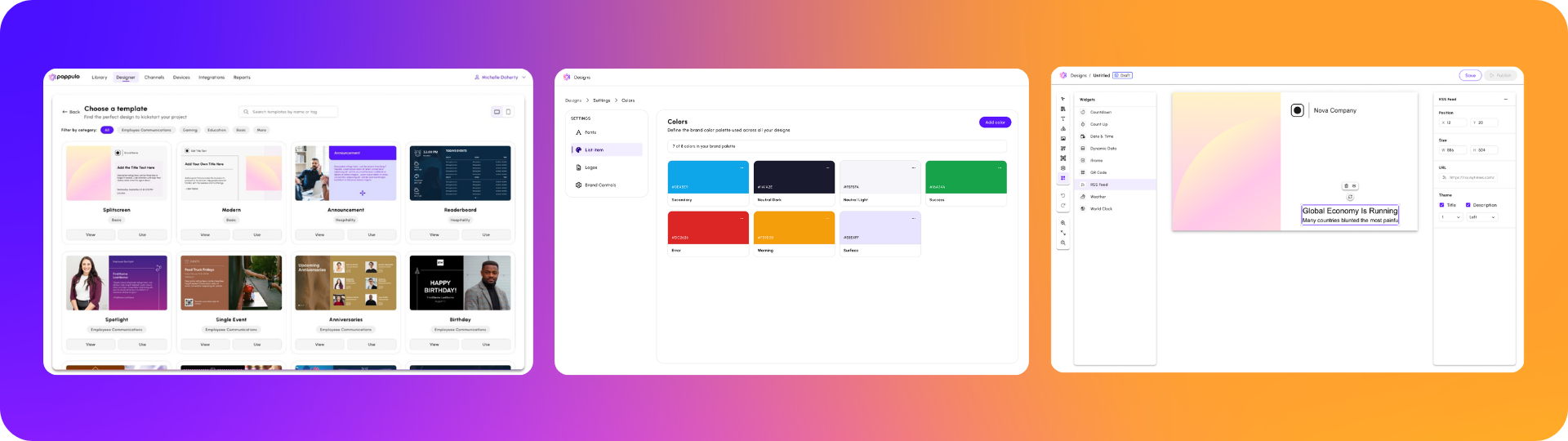
For teams that already use it, the Template Library, Brand Management, and Widgets provide different ways to make content creation easier for both central communications teams and distributed contributors.
Start with the Template Library
Instead of beginning every design with a blank canvas, users can choose a ready-to-use layout from the Template Library and customize it for their message.
Templates can help teams produce recurring communications—such as announcements, event promotions, employee recognition, safety messages, and company updates—more quickly. They also give less-experienced contributors a starting point without asking them to make every layout decision themselves.
Make brand standards easier to follow
Brand Management makes approved brand assets and guidelines easier to access while contributors are creating content in Designs.
By putting elements such as fonts, colors, and logos closer to the point of creation, organizations can help contributors produce content within the organization’s brand standards. This is especially useful when employees across locations create their own messages while a central team remains responsible for brand consistency.
Add dynamic information with Widgets
Widgets are reusable content elements that bring dynamic information into Designs. They allow teams to incorporate time and date or QR codes without manually rebuilding or repeatedly updating that information in each design.
For example, a team could add a QR code linking your company’s intranet with important takeaway information for an employee or enabling a customer to access your on-site restaurant’s menu or website to book a reservation.
Together, the Template Library, Brand Management, and Widgets give more contributors the tools to create content while helping central teams maintain quality and consistency.
Keep Information and Networks Current
Information changes, user access needs updating, devices require attention, and expired content accumulates. The latest administration and monitoring updates address those ongoing parts of managing digital signage, making it easier than ever to streamline the behind-the-scenes work.
Connect business systems with less custom development
Your organization may already maintain information in Power BI, Workday, Salesforce, or SharePoint that would be useful on screens. The challenge is bringing it into your signage workflow and keeping it current across locations.
Self-Service Integrations let teams configure supported connections to their business systems with less dependence on custom development. Once connected, information can update automatically, reducing the need for communicators to copy data, recreate dashboards, or repeatedly publish revised files.
Potential use cases include:
- Displaying business-performance dashboards from Power BI
- Sharing employee information from Workday
- Presenting relevant Salesforce data
- Bringing SharePoint content to workplace screens
For administrators, a self-service approach offers more control over setting up and maintaining supported connections. For communicators, it provides a way to keep screen content aligned with its source system.
Tailor shared data to different audiences
One source of information does not mean every audience needs to see the same records. Your organization might maintain a company-wide events table, for example, while employees in each office only need to see events relevant to their location.
Table Filter Rules let teams apply rules to shared data so different audiences or screens receive the appropriate information. Rather than maintaining a separate data source for every location, communicators can use a common source and tailor what appears at each destination.
Potential applications include:
- Showing location or date specific events
- Displaying regional operational information
- Filtering communications by business unit or department
- Presenting site-specific services, schedules, or announcements
This approach can reduce duplicate work while making the information on each screen more relevant to its audience.
Understand which device issues need attention
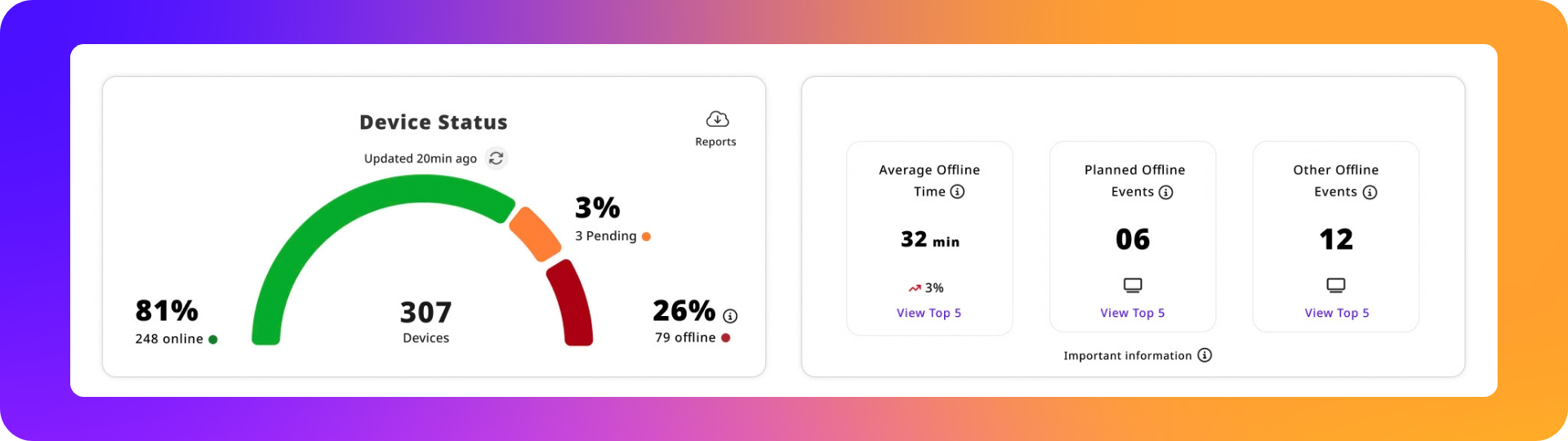
An offline device does not always indicate the same problem. A screen may be intentionally powered down outside business hours, temporarily disconnected, or experiencing an issue that requires intervention.
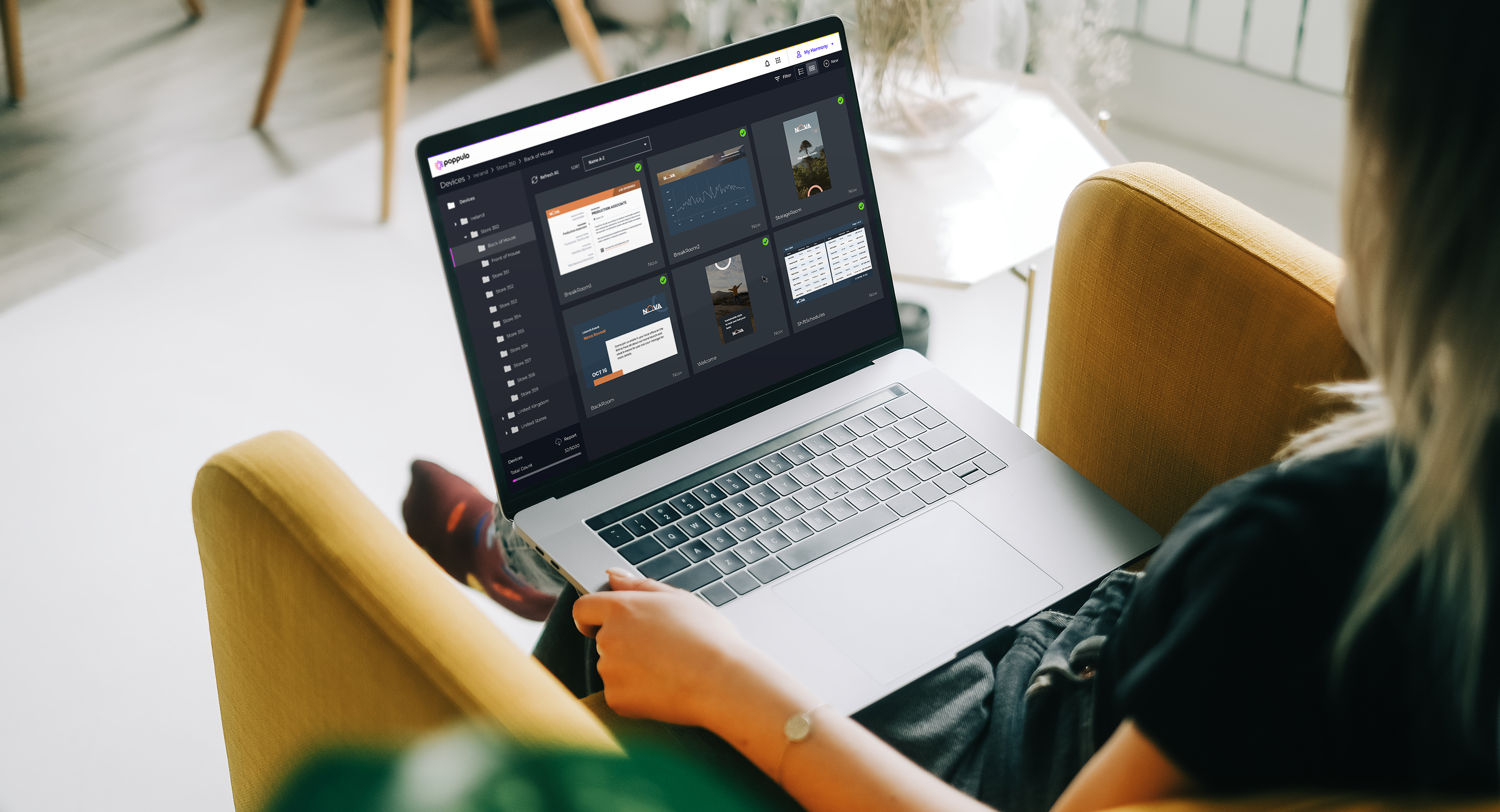
Device Insights gives administrators additional visibility into device health, including offline duration and planned offline events. That context helps teams distinguish planned or brief outages from unexpected, persistent problems.
If you manage screens across multiple buildings, locations, or regions, you can use that information to prioritize devices that may need attention instead of treating every offline event the same way.
Find and remove expired content
As your content library grows, outdated assets can become harder to identify. Expired Content Cleanup gives administrators a clearer way to find content that has passed its expiration date and remove items they no longer need.
Regular cleanup can make the library easier to navigate, reduce uncertainty about which assets are still relevant, and help prevent old content from being reused unintentionally. This is particularly useful for teams managing a high volume of time-sensitive campaigns, announcements, or events.
Automate user provisioning with SCIM
Keeping user access current takes work, especially when employees join, change responsibilities, or leave. Administrators need to create accounts, update access, and deactivate users at the right time.
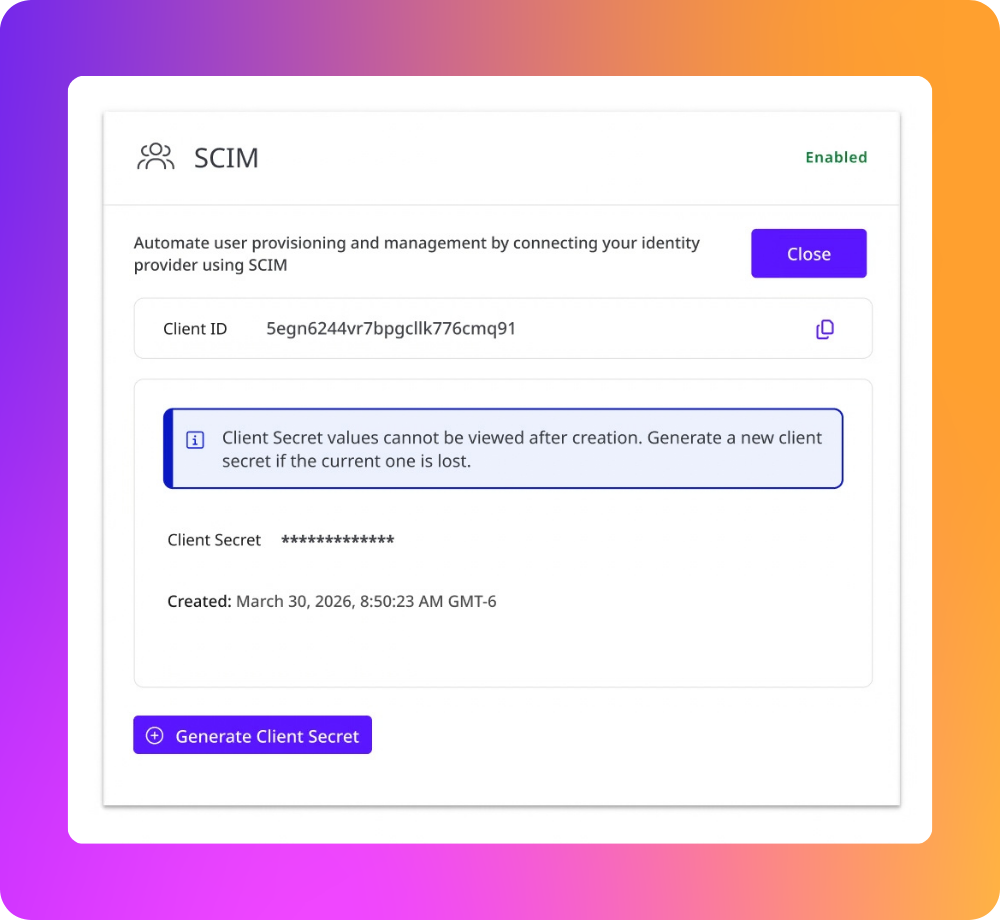
SCIM Provisioning connects Poppulo Digital Signage with your organization’s identity provider to automate supported user-lifecycle tasks, including:
- Creating users
- Updating user information
- Activating accounts
- Deactivating accounts
You can also map identity-provider groups to supported Poppulo roles. This reduces the need to assign and maintain access individually within Poppulo while helping access stay aligned with centrally managed identity information.
For IT and platform administrators, SCIM can reduce repetitive administration and the risk of accounts remaining active after access should have changed.
Bring Communications to More Places
Your hardware choices depend on your workplace, existing devices, and plans for new screens. Three player updates expand the ways you can deploy Poppulo Digital Signage.
Poppulo Player for Android
Poppulo Player for Android extends Poppulo Digital Signage to supported Android-based devices.
This gives your team another option when selecting or standardizing signage hardware. It may also let you bring existing supported Android devices into your Poppulo network rather than managing them through a separate content workflow.
For supported Android versions, device requirements, and setup guidance, see the Poppulo Player for Android guide in our Knowledge Base.
Support for BrightSign Series 6
You can now deploy Poppulo Digital Signage on supported BrightSign Series 6 devices. If your organization uses BrightSign hardware, this lets you consider the latest generation for new deployments or hardware refreshes while continuing to manage content through Poppulo.
For supported Series 6 models and BrightSign OS or firmware requirements, see the BrightSign Series 6 guide in our Knowledge Base.
Meeting Room Player
Meeting rooms are another place to share relevant workplace information. Meeting Room Player brings Poppulo-managed communications into these spaces, extending your signage program beyond traditional digital signage screens.
Organizations can use meeting-room displays to show room availability, upcoming bookings, corporate communications, and incorporate idle screen takeovers.
By including meeting-room displays in a broader signage program, workplace teams can make more use of screens throughout the office and provide employees with information where they need it.
A More Connected Approach to Digital Signage
Our Q3 updates strengthen three parts of your signage program:
- Content creation: Move Canva designs into Poppulo more directly and create content with templates, brand guidance, and reusable widgets.
- Network management: Connect business systems, tailor shared information, investigate device issues, clean up expired content, and automate user provisioning.
- Deployment: Extend communications to supported Android devices, BrightSign Series 6 hardware, and meeting-room displays.
Together, these capabilities give your team more ways to create and maintain content, operate a distributed network, and reach employees across the workplace.
To learn which capabilities are available for your Poppulo Digital Signage environment, contact your Poppulo representative.