You and your company use Microsoft Teams for collaboration and connection between communication professionals on a daily basis. It’s a critical tool in your digital toolkit. It helps your team work together, share ideas, and get the job done. But things get tricky when it comes to using Microsoft Teams for internal communications as well. What does it take to use the platform for your communication needs?
An integration with Poppulo, for one thing. Poppulo is an employee comms solution that’s built on Microsoft Azure technology, and it can be incorporated seamlessly into your existing Teams ecosystem to create the perfect digital space for both collaboration AND communication. This blog post explores why the integration works so well, and explains why Poppulo is the natural solution when it comes to using Microsoft Teams for internal communications.
The Challenges of Using Microsoft Teams for Internal Communications
When it comes to working together on projects, the file sharing and collaboration elements of Teams have got you covered. No doubt about it. But to add internal comms into the mix, you’re going to need a little help. Using Microsoft Teams for internal communications is possible, but you're probably going to want more. But first, here’s why Teams on its own is not the best option for boosting your internal comms.
Teams is a Collaboration Tool, Not a Communication Tool
In the modern digital workspace, few solutions are as popular or powerful as Microsoft Teams. However, it’s primarily a collaboration tool by design; that’s what it’s made for. And amid all the project discussions and chats, company news and updates can fall through the cracks. Which is to be expected given its intended role.
Key Communication Elements Needed
Strong corporate communication relies on an intuitive format, engaging visuals, and video capabilities. It needs feedback and engagement mechanisms built in, to gather employee thoughts and to encourage them to interact with content. These are features that are lacking in a file sharing and collaboration solution like Teams, for the reasons mentioned above.
Why Important Communications Get Lost in Teams
So why, exactly, do important messages and updates sometimes fall through the cracks? One reason is the very nature of Teams conversations themselves. They’re usually built, by design, around a specific project or document. They’re generally not structured around policy updates, industry trends, new hires, etc. Furthermore, there is often a lack of structured communication channels to accommodate critical updates and news. There is a great deal of lateral communication going on, chats, comments, and online meetings, but not as much top-down or bottom-up. Using Microsoft Teams for the internal communication needs of large companies is essentially using a tool to do something it was never intended to accomplish.
Essential Features for Effective Communication within Teams
But the good news: You can have an effective internal communication element in Teams! Indeed, you can use Microsoft Teams for internal updates and news. It just requires an integration with the right solution. This means incorporating a unified communication tool that can add:
Structured Content Delivery
The importance of delivering structured content to ensure visibility cannot be underestimated. Delivery is the key word here, with precise targeting by individuals and themes designed to enhance your internal communication.
Visual and Interactive Content
The role of visual aids, videos, and interactive content in capturing attention also cannot be emphasized enough. This is what will allow important messages to cut through the clutter and be processed.
Engagement and Feedback Mechanisms
You need mechanisms to gather feedback and foster engagement, such as polls, surveys, and quizzes. Rewards also need to be built in, with recognition features that give employees a reason to get involved and interact with content as part of their internal communication routine.
Poppulo as a Seamless Solution
Fortunately, for those interested in using Microsoft Teams for internal communications, there is a highly effective solution: Poppulo. Poppulo is a comprehensive platform designed specifically for internal comms and employee engagement. Using Microsoft Teams across mobile private devices and desktops for internal updates can be accomplished when used in tandem with the Poppulo integration.
But there’s more to the story than that. Poppulo is also built upon a Microsoft Azure architecture, and it’s designed to fit seamlessly into your existing Microsoft tools–this includes Microsoft Outlook, and yes, also Teams. It can be integrated naturally and effortlessly into your Teams interface, adding all of its powerful internal communications features to your digital collaboration space. The traffic is already there, meaning that your workforce will have instant exposure via the Poppulo integration to all of the news and updates they need, without having to leave their Teams environment or be disturbed during the process. It’s built in and fully integrated, designed to generate meaningful interactions, keep employees informed and engaged, and bring a natural internal communication capability to your current online environment.
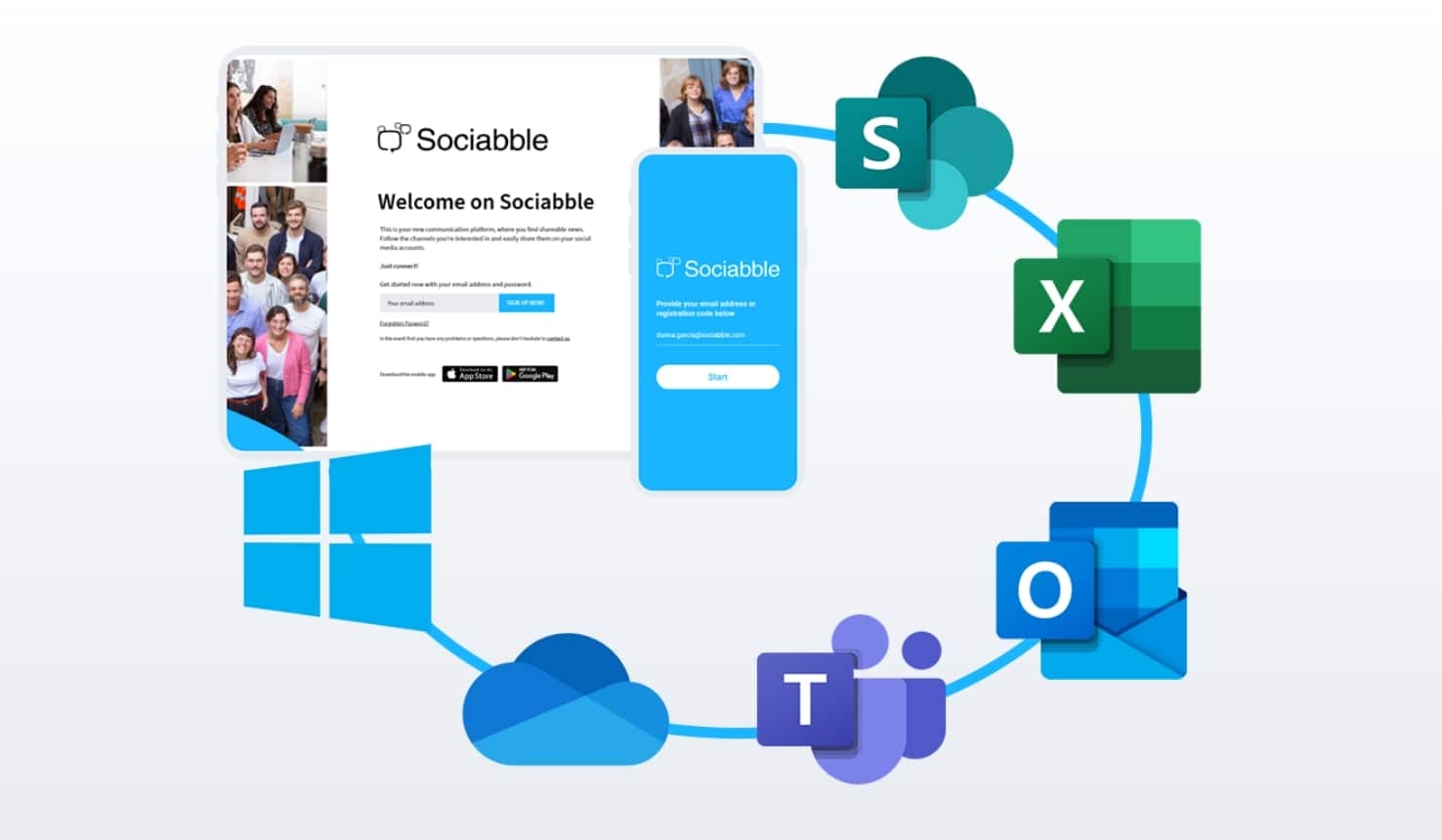
Concrete Examples of What a Poppulo Integration Can Accomplish
We’ve spoken of Poppulo’s benefits in general terms, how it can pair with Microsoft Teams for internal communication. But what exactly do Poppulo’s Microsoft Teams integrations involve? Here are specific examples of how your Poppulo platform seamlessly integrates with Microsoft Teams to create a more powerful combined solution, ideal for complex organizations with varied two way communication needs:
Full App Embed in the Left App Bar
One of the key features of Poppulo’s integration is the full app embed in the left app bar of Microsoft Teams. This allows users to access Poppulo’s features without leaving the Microsoft Teams environment. This integration enhances accessibility and ensures that important updates and information across various channels are just a click away.
Example: For communications, embedded Poppulo access strengthens internal comms, allowing important updates such as videos, product news, and leadership messages to be viewed directly in Teams, thus seamlessly blending your internal communication and collaboration platform tools. And if you have an employee advocacy program running alongside Teams, Poppulo simplifies sharing and gives immediate access to social networks. Employees can access corporate content directly from Teams, from a specific thread or the chat function, and share it on their social networks with just a few clicks, without leaving the Teams interface.

Poppulo Tab Embedded into Specific Teams Channels
Poppulo channels can be embedded within specific Teams communication channel tabs, allowing for targeted communication. This feature is particularly beneficial for teams and departments that need specific information relevant to their roles. Embedding Poppulo channels in Teams’ themed channels facilitates focused and efficient communication.
Example: Need to create a short instructional video on safety protocols with Poppulo and share it with your regional managers? No one has to leave their usual communication channel to create or receive it. It works across multiple Teams channels, each with its own unique Poppulo tab accessible with a click.
Manual Content Sharing to Teams
Poppulo allows manual sharing of content directly to Teams. Office employees and remote workers alike can easily share articles, updates, and announcements from Poppulo to Teams channels and conversations, ensuring that all team members are informed and engaged. This manual sharing capability allows for personalized and context-specific communication, enhancing relevance and engagement within your Microsoft Teams apps’ integration.
Example: An article on a new industry trend posted on Poppulo seems relevant to a current conversation on a Teams channel. An employee with access to that private Teams collaboration platform channel can manually select and share it with other members who have access.
Bots for Automatic Sharing on Your Microsoft Teams App
To streamline communication, Poppulo offers bots that automate content sharing to any Microsoft Teams channel. These bots can push relevant content directly into Microsoft Teams channels, ensuring that users receive timely updates without manual intervention. Automation ensures consistency and reduces the workload on communicators using Microsoft Teams for internal updates and news.
Example: You want to distribute a weekly analytics report full of essential data to the marketing team each time it’s released. This can be managed automatically from one centralized platform across all relevant Teams communication channels, based on criteria such as keywords, sources, internal tags, and more.
Enabling Poppulo Notifications in Teams Activity
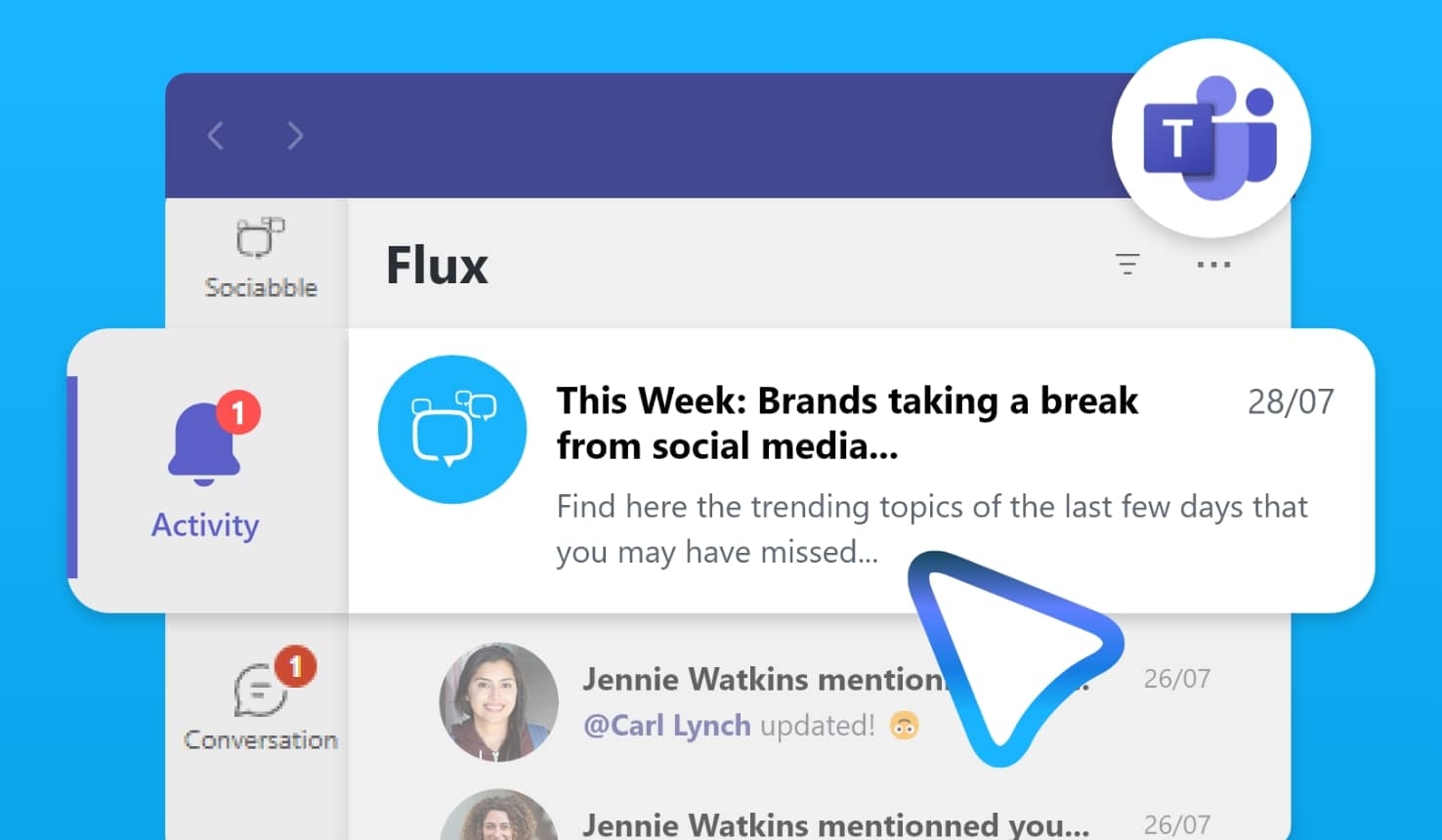
Poppulo integrates with Microsoft Teams’ activity feed to provide notifications. Users can receive updates from Poppulo within their Microsoft Teams activity stream, keeping them informed without needing to switch platforms. They can also select what they want to be notified about, such as new content publication, receiving a badge, ongoing content-based campaigns, video calls, upcoming events, etc. Notifications help maintain real-time engagement and ensure important information is not missed, and can even be set to remind you of external communication tasks as well.
Example: Want to ensure your HR department’s Microsoft Teams channel doesn’t miss the announcement of new hires by the corporate vice president, at the Friday town hall meeting on Poppulo? You can set a reminder so they don’t forget to attend this or other video conferencing events and virtual meetings.
Benefits of Using Poppulo with Microsoft Teams
We’ve discussed what the Poppulo and Microsoft Teams integration can do. But what does that mean? What specific benefits will you get from melding these two powerful communication and collaboration tools, thus using Teams for internal information functions? Here is only a fraction of the improvements to expect:
Enhanced Communication
With Poppulo’s targeting and notifications, you can rest assured that critical communications will be seen by your employees, and never fall through the cracks.
Improved Engagement
Poppulo’s special features like gamification and interactive content enhance employee participation and feedback and are specifically designed for engaging employees. And with rewards and badges built in, they have something to strive for as well.
Fluid User Experience
The user-friendly interface of Poppulo melds seamlessly within Teams, giving employees instant, effortless access. It becomes part of the Teams experience, not a separate tool or entity. They won’t need to learn any new skills or use any additional credentials.

Conclusion: Integrating Poppulo into Your MS Teams Environment is the Perfect Internal Communication Solution
As we’ve seen, Microsoft Teams, while an essential tool for corporate collaboration, cannot fulfill the internal communications needs of most companies on its own. It isn’t designed for the sending of targeted messaging, gathering feedback, or generating engagement. When combined with a Poppulo integration, however, the two platforms together create a truly comprehensive communication and collaboration solution. Using Microsoft Teams for internal communications is indeed effective when used in tandem with Poppulo.
If you’ve been looking to add internal comms capabilities to your existing digital toolkit, and if you’re already using Microsoft Teams for employee collaboration, consider integrating Poppulo to enhance your internal communications strategy. We’ve already partnered with global industry leaders from a variety of sectors, to optimize and enhance their integrated communications, and we’re ready to do the same for your company. Just sign up for a free, personalized demo.