

GUIDES
Keys to an Effective Post-Pandemic Real Estate Strategy
About this Guide
We’re still adjusting to the new way of working coming out of the COVID-19 pandemic. And most companies are still finding ways to bring employees back into the physical workplace.
But what this return to the office looks like varies by industry, and even by reason. Some businesses are bringing employees back to alleviate work-from-home fatigue, improve company productivity, or avoid wasting money on unused real estate assets, among many other reasons.
Regardless of the reason for bringing employees back to the office, one thing is clear—the office will look and operate differently when employees return. Flexible, hybrid working arrangements are highly likely to become the norm, replacing the standard in-office five-day work week. And survey data supports this assertion. Yet as more people return to the office, businesses will need to understand how their office spaces are being used—including overall capacity trends, desk space usage, meeting room utilization, and more.
These key data points directly impact commercial real estate (CRE) strategies—but only if they are accurately tracked. And regarding return-to-office planning, those data points are just as important. By putting the power to easily book available desks and meeting rooms directly in the hands of employees, then collecting utilization data, companies can better enable social distancing and contact tracing. During the initial transition back to the office, this kind of information will be invaluable, but over time that data can be leveraged to make CRE decisions.
Read this guide to learn:
- Key considerations for your return-to-work strategy
- How the workplace is designed post-COVID
- Capabilities to look for in CRE solutions today
Author

Christine Kendall
Content Marketing Manager, Poppulo
Related content
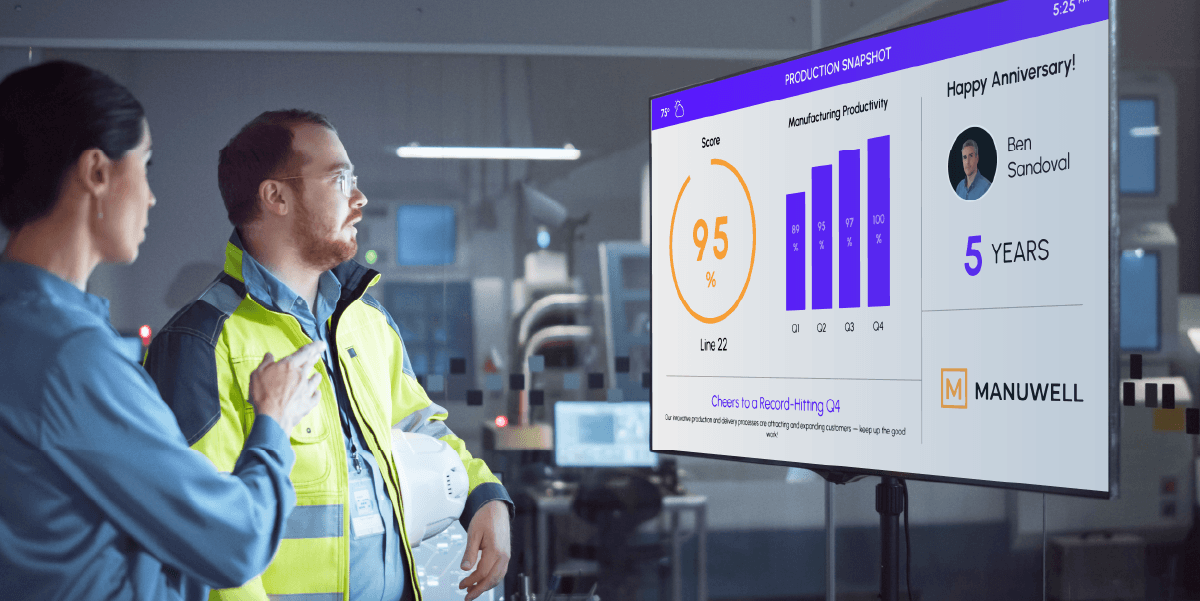
Manufacturing and production facilities are operating in an era defined by disruption, labor shortages, supply chain volatility, and rising safety and compliance demands. Leaders are under constant pressure to optimize processes, reduce downtime and rework, improve quality, and engage a workforce that is largely deskless. In this environment, clear, real-time communication isn’t a “nice to have”—it’s mission-critical. Yet production-floor employees are often the hardest to reach. Traditional channels like email, mobile apps, and intranet platforms don’t effectively connect with workers who don’t have access to devices during their shifts. When communication breaks down, so does alignment around KPIs, safety protocols, quality standards, and company goals. Digital signage has become a critical infrastructure layer in modern manufacturing environments. Together, Poppulo and BrightSign® enable manufacturers to deploy secure, scalable, and high-performance digital signage networks across thousands of endpoints. From KPI dashboards and manufacturing execution systems (MES) integrations to safety communications and employee engagement initiatives, this guide explores how manufacturers can leverage enterprise-grade digital signage to drive operational excellence, strengthen culture, and future-proof their production floor communications.

Manufacturing facilities face unique challenges when it comes to driving productivity, safety, and operational efficiency with a primarily deskless workforce—many of which can be addressed with strategically deployed digital signage. From production dashboards and manufacturing execution systems (MES) displays to wayfinding, standard work signage, safety messaging, and general employee communications, digital signage is an effective way to reach all on-site workers, regardless of their roles. That’s why manufacturing organizations around the world rely on Poppulo’s digital signage platform and secure, purpose-built media players from BrightSign® to deliver reliable, real-time information across their facilities. However, starting a new digital signage initiative or optimizing an existing network involves careful planning. In addition to defining integration requirements, you must determine the number and location of screens, the purpose of each endpoint, and the content each zone should display. Mapping out the zones in your facility that require digital signage—and identifying the audience and use case for each—can help define your digital signage footprint and uncover gaps in your current network. The templates included in this guide provide recommendations for endpoint planning across different facility zones, helping you align screen placement with operational goals and communications needs.
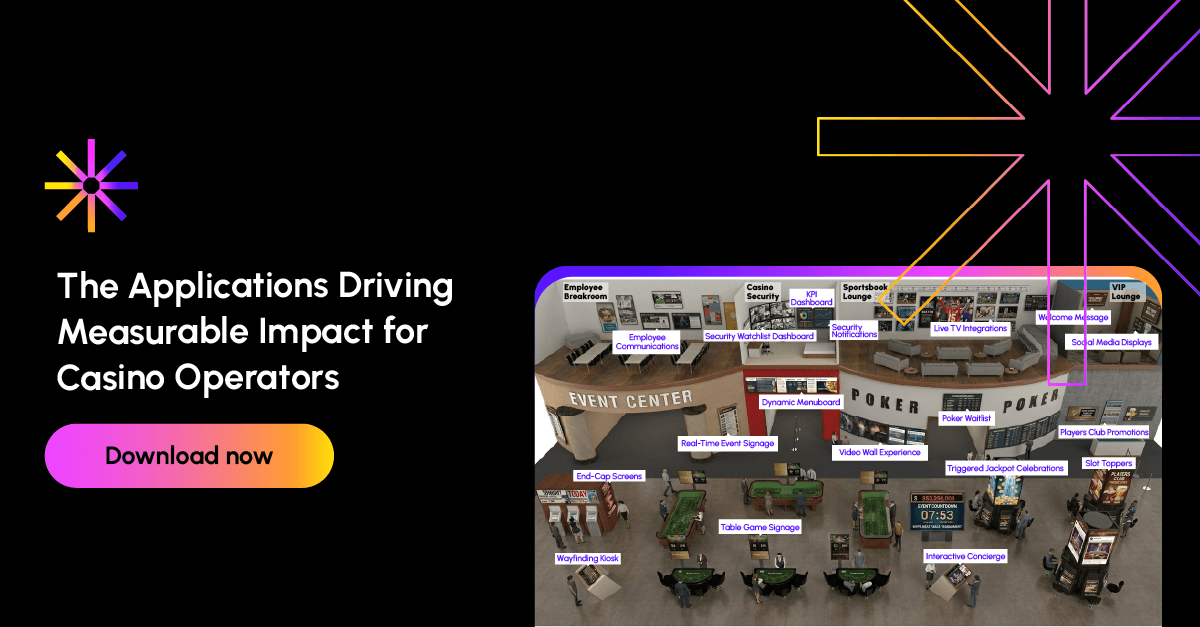
Digital signage is one of the most visible technologies on a casino floor. But, done correctly, digital signage can impact casinos in ways guests will never see. Top casinos are using digital signage as an integrated communications network—one that connects guests to experiences, empowers employee communication, andimproves casino operations. Yes, screens can and should be used for promotions, wayfinding, and menuboards. But they can be used for more than that. When used strategically, digital signage becomes more than a promotional tool. It becomes part of your casino’s attention infrastructure, and it can directly impact your bottom-line. Across your property, screens can influence decision-making in real time. They guide guests to amenities. They build anticipation for events. They amplify the excitement of a big win. They ensure staff are prepared before stepping onto the floor. They provide leadership teams with immediate operational insight. This shift in thinking can unlock tremendous value for your property. This guide explores the essential guest-facing and employee-focused applications that top casinos are deploying today to drive engagement, strengthen operational alignment, and unlock the full potential of their digital signage investment.