When you implement digital signage into your hotel’s communication strategy, every screen becomes an opportunity to elevate the guest experience, promote your services, and increase revenue. Whether it’s welcoming guests entering the lobby or guiding conference attendees around your facility, creating a connected, seamless experience is made easier with a signage platform. The right setup strategy brings together the right locations, technology, content, and integrations.
Whether it’s your first time deploying digital signage or you’re upgrading a current network, this guide walks you through the entire process. Designed with IT leaders, sales/marketing directors, and managers in mind, this guide will cover the system integrations and content measurement you need to evaluate performance. By the end, you will have a practical deployment plan, key objectives, and a setup checklist that will help your team deliver engaging, consistent guest experiences across one property or your entire portfolio.
What You Need Before You Start
A hotel digital signage network needs six coordinated parts: displays, media players, a content management system, network access, integrations, and content ownership. Decide who owns each part before procurement so the project does not stall between IT, operations, and marketing.
| Component | What it does | Primary owner |
|---|---|---|
| Screens | Present guest, event, promotional and staff content in each zone. | Facilities and marketing |
| Media players | Receive, render and play content from the CMS on each display. | IT |
| CMS | Creates, targets, schedules, publishes and monitors content. | Marketing or communications |
| Network | Connects players securely to the CMS and approved data sources. | IT and security |
| Integrations | Automate PMS, event, weather, transportation and other data. | IT and system owners |
| Content | Defines what each audience sees, when it appears and who approves it. | Marketing, sales and operations |
Smallest viable setup: Start with an area you would like to expand through signage. This can be meeting/conference room spaces, lobby areas, wayfinding, etc. This will give you a singular goal you can home in on and easily measure success through the screens installed in this sector as you test a beginning batch of screens. You can then bring more screens to other pillars of your portfolio.
Step 1: Set Goals, KPIs, and Owners
Start by naming the business result for every screen and assigning one accountable owner to it. A screen without a defined outcome usually becomes a rotating poster board that is difficult to defend or improve.
Separate goals into practical categories. Revenue goals can include event branding packages, restaurant promotions, spa bookings, or late checkout offers. Guest-experience goals can include fewer wayfinding questions, faster access to meeting information, and clearer property updates. Staff-communication goals can include faster shift updates, visible recognition, and consistent safety messages.
Choose one or two key performance indicators for each goal before launch. For an event upsell, track branded takeover sales and revenue. For wayfinding, track recurring guest questions or staff time spent giving directions. For operations, track content update time and screen uptime. Assign a business owner, a content owner, and a technical owner so decisions do not default to whoever happens to notice a problem.
Step 2: Map Zones and Run a Site Survey
Map every proposed zone before selecting hardware. A site survey should document audience, purpose, power, data, sightlines, viewing distance, ambient light, mounting conditions, and any accessibility needs.
| Zone | Primary use | Survey focus |
|---|---|---|
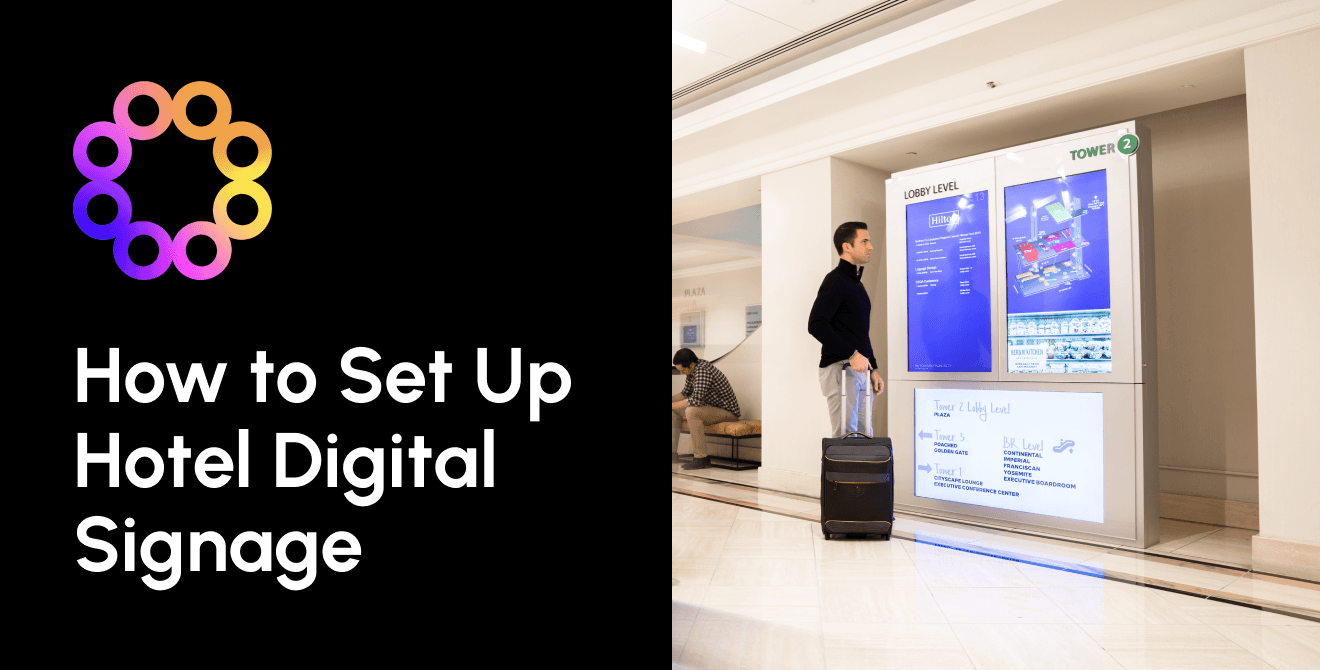
| Lobby | Welcome, promotions, video walls | Daylight, viewing distance, structural support and service access |
| Elevator banks | Wayfinding and timely offers | Dwell time, portrait orientation, power and sightlines |
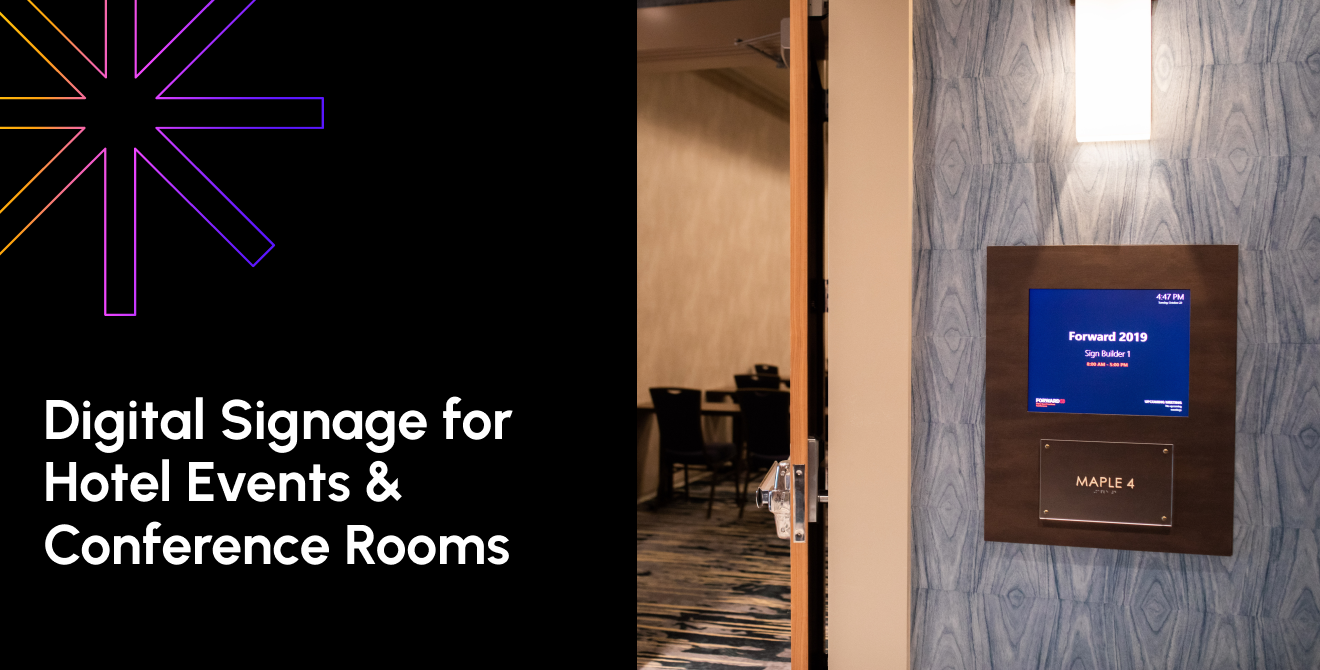
| Meeting foyer | Reader boards and room signs | Event data, traffic flow, mounting height and last-minute changes |
| Food and beverage | Menu boards and promotions | Viewing distance, glare, heat, cleaning and price-update workflow |
| Guest-room TV | Property information and offers | Existing TV platform, channel architecture and guest privacy |
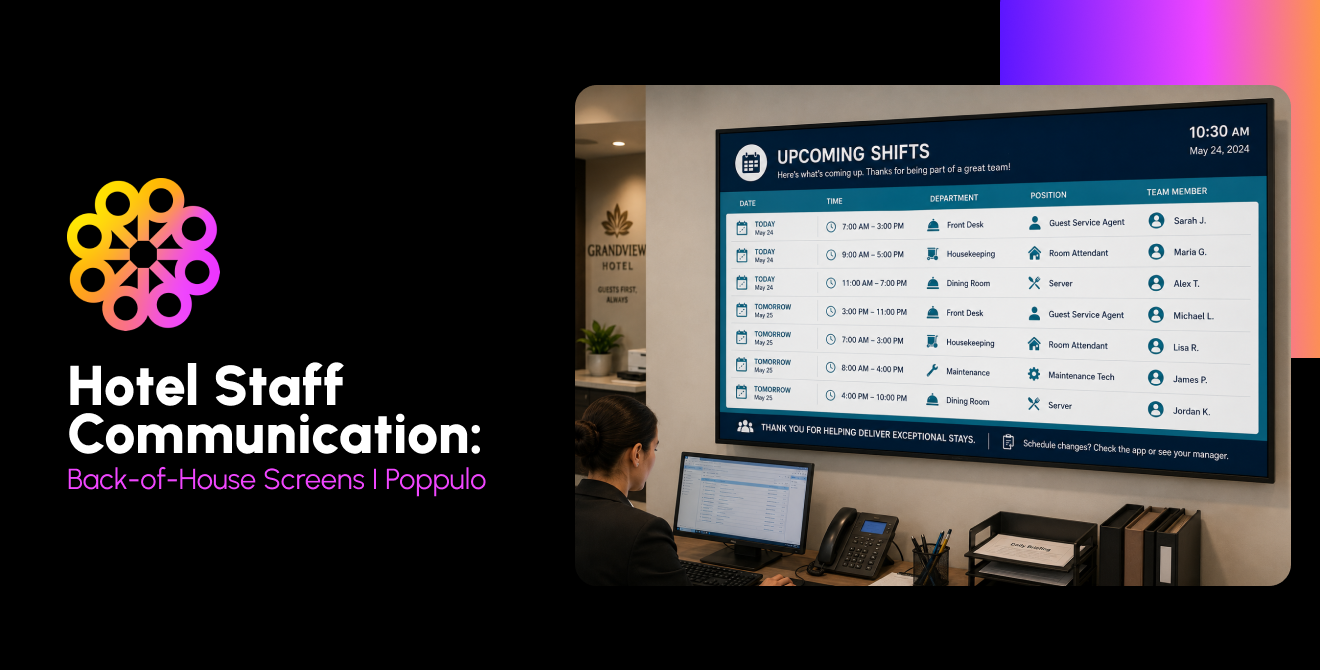
| Back of house | Shift briefs, safety and recognition | Languages, work patterns, durability and visibility |
For touchscreens, involve the accessibility team early and validate reach ranges, clear floor space, operable controls, and alternate ways to access the same information. Do not assume a standard wall height will work for every guest.
Plan lobby video walls | Review wayfinding options | Explore meeting-room signage
Step 3: Choose Screens and Media Players
Choose commercial displays and media players for the operating conditions in each zone. Commercial screens are designed for longer cycles, managed settings, and commercial warranties; they also offer brightness and mounting options that consumer televisions may not be.
Match brightness to ambient light, select landscape or portrait orientation before mounting and specify touch only where interaction serves a clear task. Confirm ventilation, service access, cable concealment and mounts rated for the display and wall. In kitchens or other demanding areas, use appropriate enclosures and locate hardware away from heat, grease, steam, and impact.
Use one compatible player per display as the default planning assumption, unless the screen has a supported system-on-chip player or the design uses a purpose-built multi-output controller. Poppulo supports enterprise player options such as BrightSign, Windows, and more for reliable, high-performance deployments and the purpose-built Amazon Signage Stick for compatible, streamlined use cases. Validate content complexity, resolution, interactivity, and monitoring needs before standardizing hardware.
Compare Poppulo hardware options | Review the Amazon Signage Stick | Read the digital signage installation guide
Step 4: Prepare the Network with IT
Put digital signage on an IT-managed network segment with controlled access, reliable connectivity, and remote monitoring. Do not use the public guest Wi-Fi as the production network for fixed hotel signage.
A dedicated signage virtual local area network, or VLAN, helps IT apply consistent firewall, monitoring, and device policies. Use wired Ethernet for fixed screens when practical because it reduces interference and makes troubleshooting more predictable. If wireless is required, use an enterprise-managed network designed for operational devices, not a guest captive portal.
Allow only the CMS endpoints, protocols, and ports required by the approved architecture. Document Domain Name System, proxy, certificate, time synchronization, and software update requirements. Keep players and management interfaces outside the cardholder data environment whenever the architecture allows and have the hotel's security and payment-compliance teams validate segmentation. Enable remote device health and content-playback monitoring so IT can distinguish a blank screen from a network, player, display, or scheduling issue.
Questions to send your IT team
Copy these questions into the project intake ticket. The answers become the network, security, and support requirements for the deployment.
- Which VLAN and IP-addressing standard will signage players use at this property and across the portfolio?
- Will each fixed location have wired Ethernet, and what is the approved wireless fallback where cabling is not practical?
- Which CMS domains, ports and protocols must the firewall allow, and who approves changes to that allowlist?
- Does the environment require a proxy, certificate inspection, static IP address, network access control registration or device certificate?
- How will players receive time synchronization, operating-system updates, application updates and security patches?
- Which identity provider, multifactor authentication and role-based access policies will protect the CMS?
- How will the signage network remain segmented from guest Wi-Fi, the property management system and the cardholder data environment?
- What data may leave the PMS or event system, and which guest fields must never appear on a public or shared screen?
- How will IT monitor player connectivity, display status, storage, temperature, software version and proof of play?
- Where will alerts go after hours, what severity creates a ticket and who owns first response?
- What is the approved recovery process if a player fails, a screen loses power or the internet connection is unavailable?
- Will local content continue playing from cache during an outage, and how quickly will it resynchronize?
- What physical controls will prevent unauthorized access to players, USB ports, mounts and network jacks?
- Who maintains the asset inventory, including display model, player serial number, MAC address, room, warranty and replacement date?
- What security review, penetration testing, privacy assessment or vendor documentation is required before production launch?
- How will changes be tested in a nonproduction group before they reach guest-facing screens?
Turn the answers into a signed design document and an operating runbook. Include a network diagram, device naming convention, endpoint list, escalation path, and rollback procedure. For a multi-property hotel group, define which standards are global and which details may vary by site. This step prevents a pilot from becoming an unsupported production system.
These answers can help you create documentation that helps teams follow the installation and management process. Assigning defined roles, structure workflows, and clear guidelines will allow teams to work efficiently while also ensuring the security of your system.
But you don't have to manage it all yourself. With Poppulo's full-service digital signage solution, you can leave the heavy lifting to the experts. From planning and system setup to installation, configuration and documentation, Poppulo can help manage the process from start to finish. Our team works with you to establish the right workflows, document key processes, and ensure your digital signage network is set up for long-term success. That means less complexity for your IT team, fewer operational headaches, and more time to focus on delivering exceptional guest experiences.
Step 5: Configure your CMS
Configure the content management system around hotel roles, templates, and operating schedules before importing content.
Create role-based access by portfolio, property, and department. Corporate teams may own brand templates and enterprise campaigns, while hotel teams manage local events, offers, and operational updates. Separate authors, approvers, and publishers where content risk warrants it. Build reusable templates for common applications, then set schedules, dayparts, expiration dates, and emergency overrides. Test the override process on a limited screen group before relying on it in an incident.
Explore enterprise content management | Review content and templates
Step 6: Connect your Hotel Systems
Connect only the systems that can keep high-value screen content current and define the data fields before development begins. Start with one integration whose owner, audience and business purpose are clear.
Hotel digital signage becomes more powerful when it connects with the systems your property already uses. Poppulo can integrate with property management systems, event management platforms, room scheduling tools, business intelligence software, emergency notification systems, and third-party data feeds to keep content up to date. From automatically displaying event schedules and meeting-room assignments to sharing personalized welcome messages, these integrations help hotels deliver timely, relevant information across every screen. By connecting multiple systems through one centralized platform, Poppulo helps reduce manual updates, streamline operations, and create more seamless guest experiences across individual properties or entire hotel portfolios.
Use data minimization throughout the design. Public displays should not expose room numbers, loyalty status, contact details, or internal notes. Map every field from source to screen, define a fallback when the source is unavailable, and assign an owner to data quality. Test late changes, cancellations, long event names, special characters and time-zone behavior before launch.
Step 7: Build Content and a Governance Plan
Build content by zone and give every content type an owner, approval path, and expiration rule. The lobby needs a different pace and hierarchy than an elevator bank, restaurant menu board, ballroom foyer, or employee entrance.
Create a content calendar that balances evergreen property information with events, offers, and operational updates. Define brand-safe templates, image specifications, translation standards, and rules for legal or pricing review. For a group buyout, a controlled brand-takeover template can extend the client's identity across approved meeting-room signs and reader boards without rebuilding every layout.
Governance should answer five questions: Who can request content? Who creates it? Who approves it? Who publishes it? When does it come down? Add a regular content audit so expired promotions, old QR codes and superseded policies do not remain in rotation.
Step 8: Pilot and Roll Out
A successful hotel digital signage rollout doesn't happen in stages. Poppulo's full-service approach manages large-scale deployments, coordinates installation, and tests displays across your property or hotel portfolio. Rather than leaving your team to pilot individual zones and troubleshoot issues, Poppulo helps streamline the entire process, ensuring screens, media players, integrations, and content workflows are properly configured and ready for use.
Before deployment is complete, Poppulo's teams validate that the entire digital signage network is operational, checking connectivity, content playback, system functionality, and performance across all screens. This comprehensive approach helps minimize disruption, reduce the burden on internal IT teams and ensure a consistent experience from day one.
For example, Hilton San Francisco Union Square uses Poppulo digital signage for wayfinding, menu boards, and meeting spaces, while also supporting site visits and revenue-generating event branding. Poppulo has reported a 40% year-over-year increase in sales of branded screen takeovers at the property. Hilton's West Region further demonstrates how a connected digital signage strategy can support consistency and local flexibility across multiple properties. With the right technology and an experienced deployment partner, hotels can confidently launch and scale digital signage without managing the complexity themselves.
Step 9: Measure and Optimize
Measure technical reliability, content delivery, and business outcomes separately. Monitor player connectivity, display health, publishing success, content errors, and proof of play. For guest experience, track recurring questions, wayfinding friction, or event-information complaints. For revenue, use offer-specific QR codes, promotion codes, point-of-sale categories, or event-package reporting so results can be tied to the screen campaign. Compare performance by zone, time and content type, then retire from weak content and expand what works.
Review the network monthly, including IT, sales, marketing, operations, and property leadership. The review should produce decisions: a screen to move, a template to simplify, an integration to repair, a permission to tighten or a promotion to scale.
Hotel Digital Signage Setup Checklist
Use this checklist to move from concept to a supported hotel digital signage network.
Plan
[ ] Define the audience, business goals, and KPIs for every proposed zone.
[ ] Assign business, content, and technical owners.
[ ] Complete a site survey for power, network, sightlines, light, mounting, and accessibility.
[ ] Confirm budget for hardware, software, installation, support and replacement stock.
Design and secure
[ ] Select commercial displays, mounts and compatible players for each environment.
[ ] Approve a dedicated signage VLAN and connectivity standard.
[ ] Document firewall endpoints, identity controls, patching, and monitoring.
[ ] Validate segmentation from guest Wi-Fi and the cardholder data environment.
[ ] Record each asset, location, serial number, warranty, and support owner.
Configure and connect
[ ] Create CMS roles by portfolio, property, and department.
[ ] Build approved templates, schedules, expirations, and emergency overrides.
[ ] Map PMS and event-system fields to approved screen elements.
[ ] Test data fallbacks, privacy rules, and late schedule changes.
Launch and improve
[ ] Train publishers, approvers, IT support, and on-property operators.
[ ] Review feedback and technical data before scaling.
[ ] Schedule quarterly content, access, and hardware reviews.
Frequently Asked Questions
Can I use regular TVs for hotel digital signage?
No, as commercial displays are made for digital signage, and consumer screens are not. In the long-term, you will run into more issues using a consumer display, and it can end up costing more in the long term.
Should digital signage be on the hotel guest Wi-Fi?
No, fixed hotel digital signage should not run on the public guest Wi-Fi. Use a dedicated, IT-managed signage network segment or another approved enterprise network with controlled access, monitoring and documented firewall rules.
How many media players do I need?
Plan for one compatible media player per display unless the display has a supported built-in player or the design uses an approved multi-output controller. Confirm resolution, content complexity, interactivity and monitoring requirements before ordering.
Can digital signage connect to my PMS?
Yes, digital signage can connect to a property management system through supported integrations or an approved integration framework. Poppulo supports multiple systems that can broaden screen functionality. Hotels should define approved data fields, privacy rules, refresh timing and fallback behavior before launch.
Who should manage hotel digital signage content?
A named content owner should manage the editorial calendar, while local departments contribute within role-based permissions, and IT owns network and device operations. High-risk or brand-sensitive content should follow a documented approval process.
See how it would run at your property
A strong hotel digital signage plan connects the physical property, the network, the content workflow, and the hotel systems behind it. Poppulo can help you map the right applications, hardware, integrations, and governance model for one hotel or a multi-property portfolio. If you’re ready to start your digital signage journey, let’s schedule a demo to see how commercial screens can fit into your facility!