Yes, there are plenty of options out there when it comes to communication apps, and no, it's not always obvious how to select the best one for your company.
Key Takeaways
- Start with your workforce: Understand how different employee groups access information and which barriers prevent them from doing so
- Prioritize outcomes over features: Use weighted requirements to evaluate the capabilities that matter most to your business
- Consider the complete employee experience: Balance usability and employee engagement with security, governance, integrations, and administration
- Test real workflows: Evaluate providers against the same scenarios and involve representative employees in the process
- Make an evidence-based decision: Use a pilot to validate adoption, performance, employee feedback, and total cost before committing
Choosing an employee app requires understanding what your workforce needs and how different solutions can meet those requirements.
This seven-step approach will help you evaluate employee engagement apps consistently, build a weighted scorecard, and make a decision based on real-world evidence.
Let's get started.
What an Employee App Must Do Across a Distributed Enterprise
An employee app is a mobile and web platform that gives employees access to company information, workplace resources, communication, and essential services. The mobile aspect is especially critical for frontline employees and deskless workers, who often lack corporate email or company devices. A mobile-first approach can help bridge these gaps, but only when the app reflects how employees actually work, and how they manage private time and personal lives.
Personalization is another important consideration. According to Gallagher's 2026 Employee Communications Report, fewer than one in five respondents were satisfied with their organization's ability to personalize content through existing communication channels.
The right employee app should provide an accessible, relevant experience that supports employee engagement while making it easier for people to find information, connect with colleagues, and do their jobs effectively.

How to Choose an Employee App in Seven Steps
Finding the best employee app for your organization involves more than comparing key features. The following steps provide a structured way to assess employee engagement apps against workforce needs, operational requirements, and business priorities. Use a weighted scorecard throughout the process to compare providers consistently and document the evidence behind your decision.
1. Map Every Workforce Segment and Access Barrier
Start by understanding how employees work across your organization. Map different groups according to their role, location, shift, language, device access, corporate email availability, connectivity, and accessibility needs. This will help you identify where the current employee experience creates barriers to communication, knowledge access, or essential services.
For example, office employees may rely on laptops and corporate accounts, while frontline workers use shared devices or personal smartphones. Employees working evening shifts may also have fewer opportunities to access information or support. These differences are important when making digital resources accessible across shifts, particularly in organizations where working conditions vary considerably.
Validate your findings with employees and local managers rather than relying exclusively on assumptions made at headquarters. Understanding where people struggle today will help you determine what your future employee app needs to solve.
2. Define Outcomes and Priority Use Cases
Once you've mapped your workforce, define what you want the employee app to achieve. Your priorities might include improving employee engagement, strengthening workplace culture, simplifying access to trusted information, or reducing fragmented communication tools. Human resources teams may also want to support employee onboarding, recognition, and employee feedback.
Turn these objectives into practical use cases with a defined audience, owner, urgency, communication channel, expected action, and success measure. For example, a manufacturing company might need to distribute updated safety procedures across multiple sites and confirm that employees have received and understood them.
This is where effective communication across multiple locations becomes particularly important. Rather than measuring success through message views alone, define outcomes that show whether employees received the right information and could act on it.
3. Build Weighted Requirements Before Reviewing Providers
Not every capability offered by employee engagement apps will have the same value for your organization. Before reviewing providers, distinguish mandatory requirements from preferences and assign weights based on business risk, workforce coverage, and strategic priorities.
Your scorecard should cover employee experience, accessibility, content management, employee engagement features, two-way communication, analytics, security, integrations, administration, implementation, support, and total cost.
For example, you might allocate:
- 30% to accessibility and usability
- 25% to security and governance
- 20% to communication and engagement
- 15% to integrations
- 10% to analytics and support
It is also important to separate capabilities that the app must provide directly from services it simply needs to connect with. Employee scheduling, payroll, time tracking, and performance management may already be handled through existing human resources platforms.
By agreeing on priorities before demonstrations, you can compare employee engagement apps according to what matters most, rather than being influenced by whichever provider offers the longest feature list.
4. Evaluate Reach, Usability, Employee Engagement, and Localization
An employee app can offer extensive functionality, but its value depends on whether employees can use it easily during their working day. This makes accessibility, intuitive navigation, and a consistent mobile-first experience essential evaluation criteria.
Ask representative employees to complete common tasks using their own devices, such as:
- finding a policy
- reading an announcement
- accessing a human resources service
Test your onboarding:
- without corporate email
- on older devices
- with weak connectivity
- without accessible navigation
Record where employees encounter difficulties and whether they can complete tasks independently.
For a global workforce, localization is equally important. Employees should receive relevant information in their preferred language, while administrators need efficient translation, targeting, and content approval workflows. These considerations are particularly important when improving the frontline employee experience, where access to information can directly influence everyday work.
5. Validate Governance, Security, Integrations, and Scale
Enterprise employee engagement apps must balance a user-friendly employee experience with the controls needed to manage information securely across the organization. IT and Information Security should therefore be involved early in evaluating identity management, permissions, encryption, data protection, compliance requirements, and enterprise scalability.
Integration with your existing tech stack is another essential consideration. The app should work alongside human resources systems, collaboration tools, and other workplace services without creating unnecessary duplication or additional administration.
Governance also needs to accommodate both corporate and local teams. A consistent approach to corporate and local content governance can help organizations maintain common standards while allowing local teams to publish relevant information.
This is where an option like the Poppulo Experience Platform truly comes into its own. Its employee mobile app includes a governance package for complete administrative control over content and sharing, as well as platform integrations that connect all of your major digital tools. And it does all of this with ironclad data security, thanks to governance standards like ISO 27001 Information Security Management System (ISMS), SOC 2 Type 2 Trust Services Criteria, and ISO/IEC 42001 (AI Management System).
6. Run Comparable Demos and a Representative Pilot
Demonstrations provide a useful introduction to employee engagement apps, but they rarely reveal how a platform performs under everyday working conditions. To compare providers fairly, give each one the same scenarios, employee tasks, administrator responsibilities, and questions.
For example, ask providers to demonstrate how an administrator creates a targeted safety announcement, manages translations, publishes content, and measures its reach. Employees should then complete the corresponding tasks using the access methods available to them.
A representative pilot should include employee insights from different countries, locations, languages, roles, shifts, devices, and levels of digital confidence. Agree on success measures beforehand, including activation, task completion, reach, administrative effort, and employee feedback.
Analytics can track downloads, views, and content interactions, while employee engagement surveys provide additional insights into satisfaction and adoption barriers. Combining these measures supports data-driven decisions and helps distinguish employees who simply access content from those who understand and act on it.
7. Compare Total Cost, Delivery Risk, and Evidence
Once you've completed your evaluations, compare each employee app based on its total cost of ownership, implementation requirements, and demonstrated performance. Licensing is only one part of the investment, alongside integrations, migration, training, content operations, support, and internal resources.
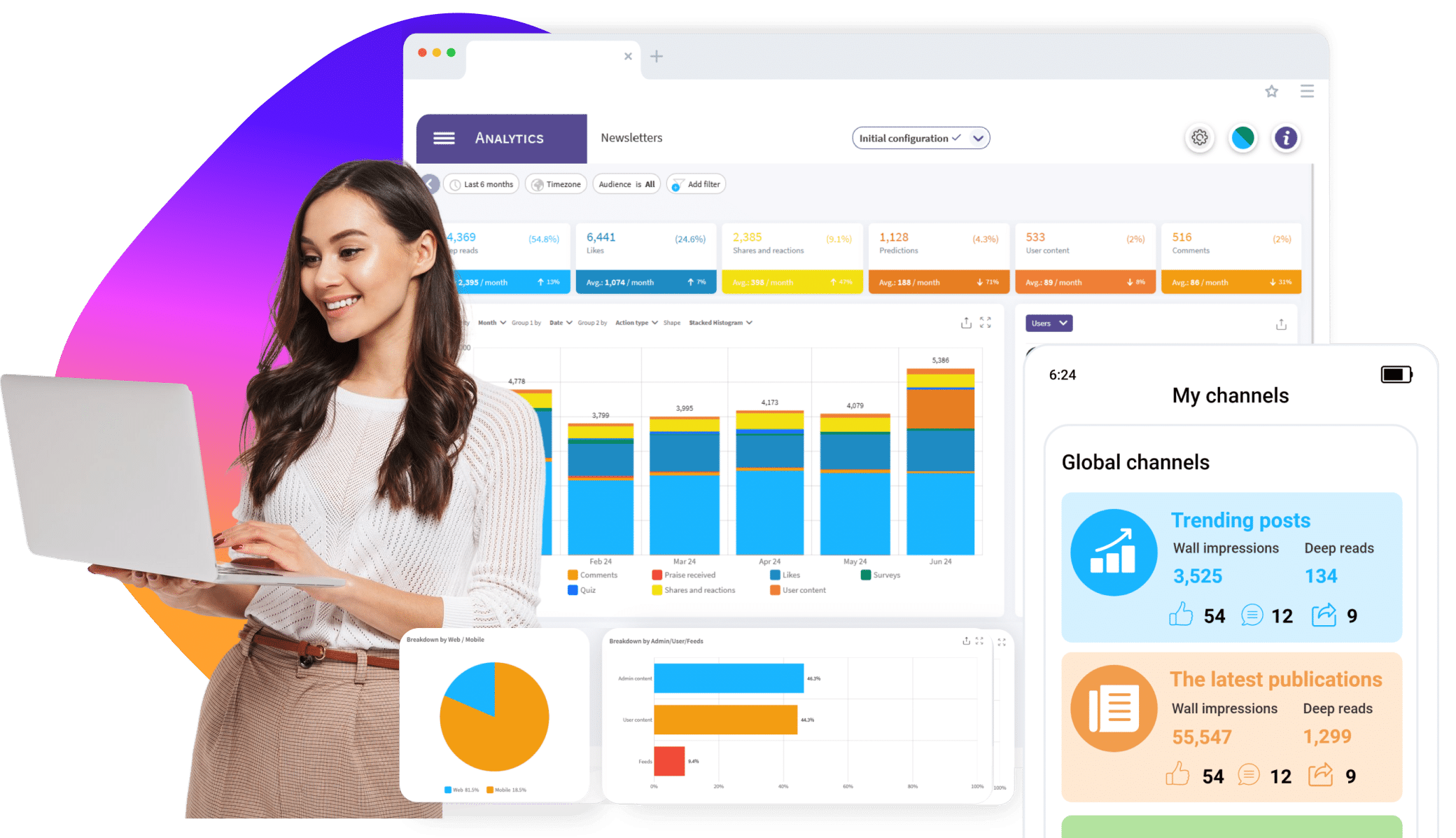
Consider how these costs might evolve as your organization grows or introduces additional employee management services. The best employee engagement apps should also provide the reporting needed to monitor adoption, understand employee engagement, and continuously improve the employee experience. For example, platform analytics can help organizations examine content performance, audience reach, and participation across different engaged employee groups.
Finally, consolidate your weighted scores, pilot results, customer references, contractual dependencies, and unresolved risks. Document who owns the decision and why the recommended platform offers the strongest fit for your workforce and business priorities.
Final Thoughts
Choosing the right employee app means finding a solution that supports how your employees work while remaining accessible, secure, and manageable across your organization. A weighted scorecard, comparable demonstrations, and a representative pilot will help you move beyond promises and make a decision based on evidence.
Intech provides a perfect example. Operating across nine sites in the US, France, and Malaysia, the company introduced a shared app-enabled communication platform to connect office employees and frontline workers. Within two months, 60% of its employees had joined, including 35% of frontline workers.
How did they achieve this? By incorporating the employee experience platform features offered by Poppulo. In fact, we've already partnered with global leaders like Coca-Cola CCEP, Primark, and L'Occitane Group to enhance their employee communications, and we'd love to do the same for your organization.
To explore how the Poppulo Experience Platform can help your organization improve employee engagement and make information more accessible, book a free personalized demo.
Employee App Selection FAQs
Beyond functionality and implementation, several organizational considerations can influence the success of an employee app.
Who Should Own Employee App Selection and Employee Management Governance?
Employee app selection should involve Internal Communications, Human Resources, IT, Information Security, Procurement, and representative local stakeholders. Assign one accountable decision owner, with clearly defined responsibilities for employee access, content standards, integrations, administration, and ongoing governance.
What Should You Ask an Employee App Customer Reference?
Ask how the app performs in comparable workforce conditions, including adoption challenges, employee engagement, and administrator workload. Discuss implementation surprises, provider support, and what the customer would change if starting again.
How Should a BYOD Policy Protect Employee Privacy?
A BYOD policy should explain whether personal-device use is voluntary, what employee data the app accesses, which permissions it needs, and what support is available. Employees who decline should have alternative access, with policies reviewed by legal and employee-representation teams according to local requirements.
When Should an Enterprise Build Instead of Buying an Employee Engagement App?
Building may be appropriate when requirements are genuinely distinctive and the organization has sufficient development capacity. Compare internal development with purchasing an existing solution, considering security ownership, maintenance, release management, ongoing support, and total lifecycle costs within the context of company culture and data-driven decision-making.